OpenAI Pixel: How to Track Conversions From ChatGPT Ads

ChatGPT ads are open to advertisers, and with them came something almost nobody writes about: the OpenAI tracking pixel. It decides whether your campaign in this channel will be measurable or just another expense where, a month later, all you know is what a click cost.
This article covers exactly what to install, in what order, and what the pixel alone will not do.
Why you need a pixel when you can already see clicks
Because a click is not something you can pay bills with. An ad panel without a pixel shows you impressions, clicks and cost per click. All of those numbers can look great on a campaign that produced zero inquiries.
The pixel moves measurement from the ad panel to your website. Only then can you see how many people actually left their contact details after clicking, rather than just coming and going. That is the difference between a report that looks good and a report you can base a budget decision on.
There is a second function, more important than reporting. Conversion data flows back to the platform and changes who it looks for. A campaign without a pixel learns to find people who click. A campaign with a pixel learns to find people who submit an inquiry. Those are two different groups.
Step 1: choose where to install the code
There are two routes and both work.
Directly in the site code. The code goes into the header section on every page. This makes sense if you have easy access to templates and do not use a tag manager.
Through Google Tag Manager. The easier route if you already run GTM, and most companies running ads do. You add the tracking code once in the GTM panel and nobody has to touch the site. All your codes, Google Ads, Meta, Analytics and now OpenAI, then live in one place with one change history and one person responsible. It is also easier to tie them to consent from your cookie banner, which usually gets lost when a single code is pasted by hand into a template.
If you are starting from scratch, choose GTM. Fifteen extra minutes at the start saves every change afterwards. How to deploy a consent banner together with your tags is in our guide on implementing a cookie banner through GTM.
Step 2: set the conversion event in the campaign
The pixel on the site is only half the job. At the campaign level you still have to point to a conversion event, the action you expect from a person after they see the ad. The panel describes it exactly that way: choose the action you want people to take on your site. In practice, for a service business, that is creating a lead: a submitted form or a booked call.
This choice matters more than it looks. It is the only place where you tell the platform what you count as success. Left empty, it makes the algorithm guess, and the algorithm always guesses the same way: it optimizes for what is easiest to deliver, which is clicks.
For a service business the sensible event is an inquiry, not a contact page view and not a click on a phone number. A click on a number is not a conversation, and a contact page view is nothing at all.
Step 3: add parameters to your landing page URLs
In the campaign settings you can append your own parameters to the landing page URL, using values the system fills in: campaign ID, ad group, ad and account.
Without them, all ChatGPT traffic blends into a single line in your analytics and you cannot tell which campaign and which ad brought it. With them, Google Analytics and your CRM know where each lead came from, and the same works later when you compare channels. The principle is covered in our article on measuring campaigns with UTM parameters and GA4.
It is five minutes of work at the start that cannot be made up later. Traffic that already arrived without tagging stays untagged forever.
What the pixel will not do
Here begins the part most guides skip. The pixel stops at the on-site event. It knows the form was submitted. It does not know whether a rep reached the person, whether the inquiry was serious, or whether it ended in a sale.
For a service business this is a fundamental limit, because the difference in lead quality between channels is often bigger than the difference in lead price. A channel that delivers inquiries at $8 each, half of them wrong numbers, is more expensive than a channel with inquiries at $15 each where one in three buys. The pixel alone will not show that difference, and it will show you the first channel as the better one.
Closing that gap means sending information back to the ad account about what happened to the lead next. Then the platform optimizes not for forms, but for forms that turned into customers. For clients we do this the same way across all channels so the numbers can sit in one table. The mechanism is described on our server-side tracking page and in our article on campaign data in server-side tracking.
One limitation you need to know about
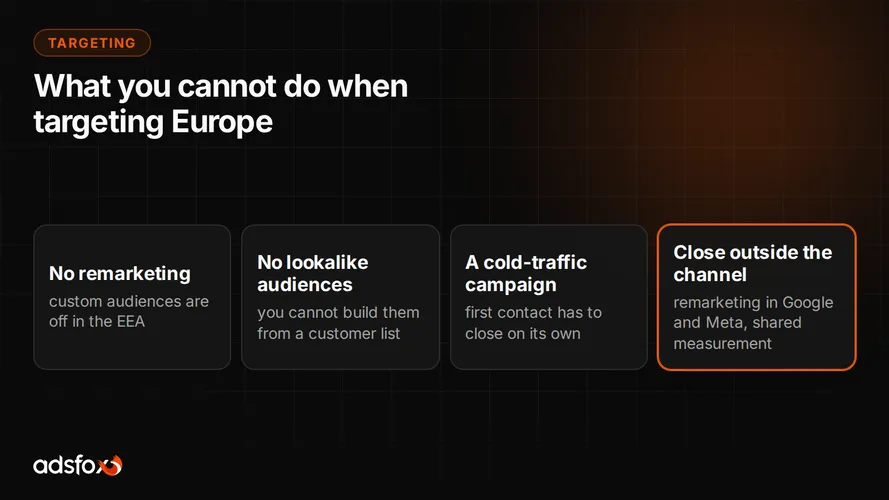
If you target Europe, pixel data will not serve you for retargeting. Custom audiences are not supported in campaigns targeting the European Economic Area and Switzerland, so you cannot build a list of past site visitors there. In those campaigns the pixel plays a measurement and optimization role, not an audience-building one.
That changes how a European campaign is set up, because all the work happens on cold traffic. Better to know it before launch than to discover it in week three while hunting for a tab that is not there. The whole topic, including how to close sales outside this channel, is in our article on ChatGPT ads targeting.
The order that does not burn money
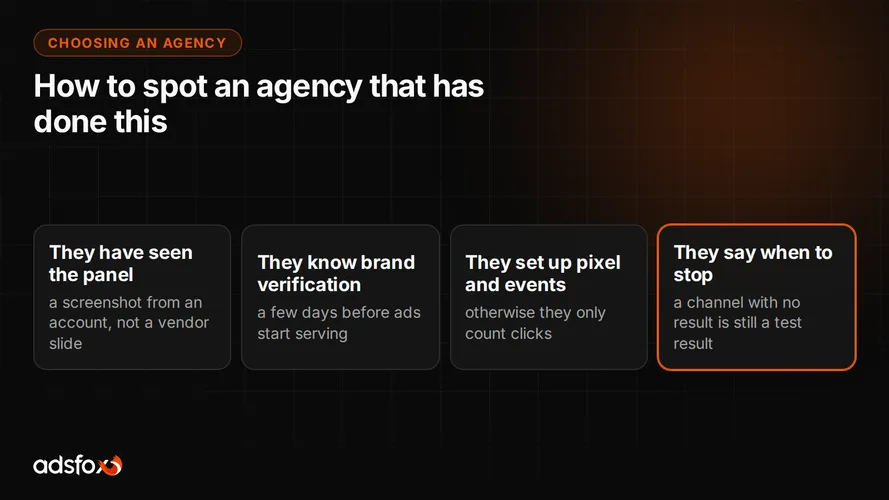
Pulling it into a list: account verification first, because it takes a few days and blocks serving. In the meantime, the pixel on the site, ideally through GTM. Then the conversion event in the campaign and parameters in the landing page URLs. Ads. Budget last.
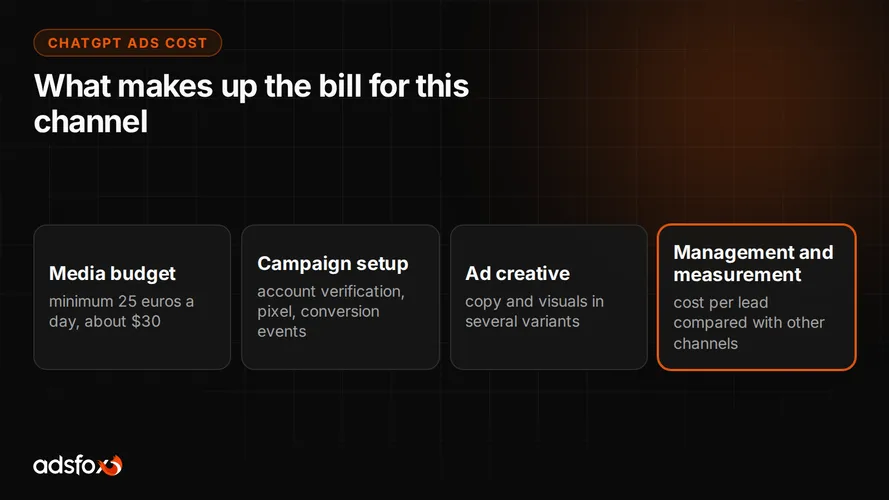
The reverse order, budget first and measurement someday, is the most common way to lose the first month. At a minimum daily budget of about $30, a month without measurement costs roughly $900 and produces no conclusion.
The full launch process is in our step-by-step guide on how to advertise on ChatGPT, and the entry conditions in our article on whether ChatGPT has ads.
Why we take this more seriously than the campaign itself
Because our rule of work in every channel is the same: measure, optimize, measure again, draw a conclusion and move the budget to where the business result is largest. The last part is impossible without the first. Without solid measurement, budget decisions get made by feel, and with a new channel feel is especially unreliable because nobody has a reference point yet.
We have run campaigns since 2018 for more than 350 clients in over 20 industries, and it is the measurement layer that most often decides whether a channel stays in the budget or drops out. If the measurement says it drops out, the second route into the same assistant answer is free citability, meaning ranking in ChatGPT, which we run as an AI SEO service. With ChatGPT ads the verdict will come faster than elsewhere, because the entry price is high and there is no market track record.
Want to launch this channel with measurement in place from day one? See how we run ChatGPT ads campaigns and book a free consultation.