How to Set Up a Google Ads Campaign: Step by Step to Leads
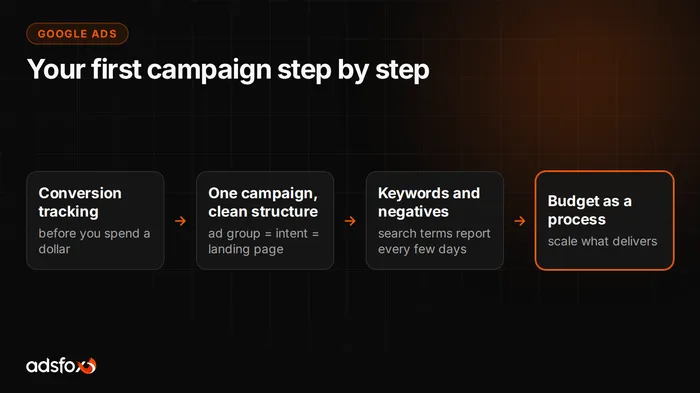
Your first Google Ads campaign is six steps in a strict order: account, conversion tracking, campaign structure, keywords with negatives, ad copy, and only at the end, budget. The order is not optional. Most of the burned budgets we see in audits came from reversing it: ads first, tracking later (maybe, someday).
This guide walks you through a full Search launch. We write it from practice: we have run campaigns since 2018 for more than 350 clients across more than 20 industries, and we know exactly where self-managed accounts usually go off the rails.
Step 1: the account and order from the start
Create the Google Ads account on a company email that the business controls, not an individual. It sounds bureaucratic, but accounts set up on employees’ personal inboxes are one of the more common messes we clean up years later. During setup Google will suggest a simplified mode that holds your hand and hides settings. Switch to expert mode: the simplified layout can switch on things you would never knowingly choose.
Step 2: conversion tracking before you spend a dollar
A campaign optimizes for what it measures. If you measure nothing, the system optimizes for clicks, and that is the shortest road to cheap traffic with no sales.
Define the events that mean money to you: a submitted form, a click on the phone number, a purchase. Set them up through Google Tag Manager and connect them to Google Analytics 4 and to Google Ads as conversions. If you sell through forms, think about quality right away: not every lead is equal, and the systems can be taught on qualified leads, which we describe in the post on connecting your CRM to ad campaigns. In one of our medical aesthetics accounts, that single change raised the share of qualified leads from 21.1% to 45.7%.
Step 3: structure, meaning one campaign instead of ten
Beginners build too much at once. A sensible start is one Search campaign, split into ad groups around consistent themes. A shoe store: one group for “running shoes”, another for “hiking boots”. Services: a separate group for each service, each with its own page.
The rule that organizes everything: one ad group matches one intent and leads to one matching landing page. An ad for “running shoes” pointing to the homepage loses to an ad pointing to the running shoes category, because Google grades the consistency of keyword, ad and landing page.
Step 4: keywords and negatives
Choose terms where a person is looking for a solution, not for knowledge. “Plumber Brooklyn Park Slope” is money; “how to replace a faucet washer” is a YouTube tutorial viewer. Start narrow, with the terms closest to a transaction, in phrase or exact match. Broad match at launch hands control to a system that does not yet have the data to guess well.
The second half of this step is negatives, and they are what separates healthy accounts from budget burners. From day one add negative keywords: “free”, “jobs”, “used”, “DIY”, names of cheap alternatives, anything that pulls in clickers with no intent to buy. Then review the search terms report every few days and cut the junk that got through anyway. It is the most profitable half hour a week in all of Google Ads.
Step 5: ad copy
A search ad should answer the query, not tell the story of the company. In the headlines repeat the keyword and add one concrete differentiator: turnaround time, scope, proof. In the description say what the person gets after the click, and add a call to action that matches the landing page. Prepare several headline and description variants: the system assembles combinations from them and promotes the ones that work on its own.
Avoid superlatives about yourself with nothing behind them. “The best company in America” does not pass the user’s common sense, and it does not pass Google’s policies on claims either.
Step 6: budget as a process, not an amount
There is no correct starting amount, and anyone who names one without knowing your keywords is guessing. There is a correct process, though: set a daily limit at a level that does not hurt while the campaign learns, collect data, watch cost per conversion. Once the campaign delivers conversions steadily at an acceptable price, raise the budget gradually and watch whether cost grows faster than results.
Reference points for what a lead costs in different industries are in our benchmark of 20 campaigns across 11 industries: from $2 to $11, depending on the industry. The broader cost picture is in the post on how much Google Ads costs.
The first weeks: what to do and what not to do
Do: review the search terms report and add negatives, replace the weakest ads, check that conversions are being counted. Don’t: judge the channel after three days, change everything at once, or add five new campaigns before the first one has learned to deliver.
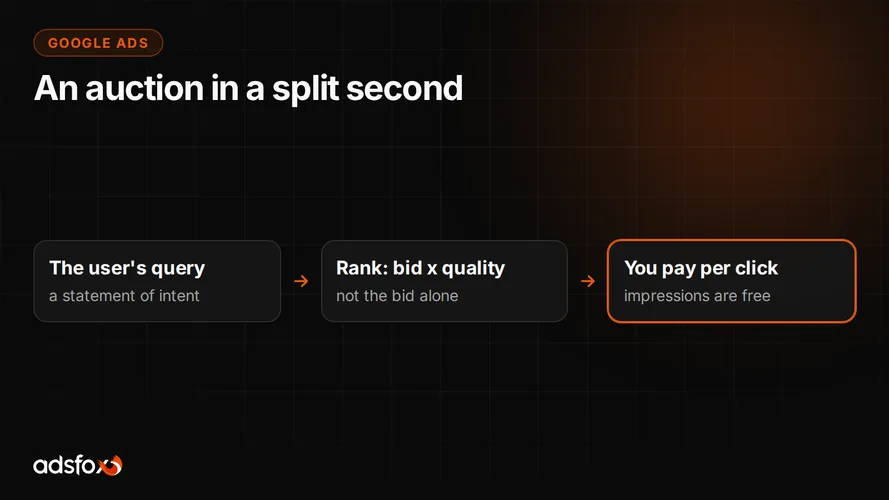
The mechanics behind all of this, the auction and Quality Score, are explained in the post on how Google Ads works. It is worth reading, because it shows why quality lowers your cost.
Where “doing it yourself” ends and a specialist begins
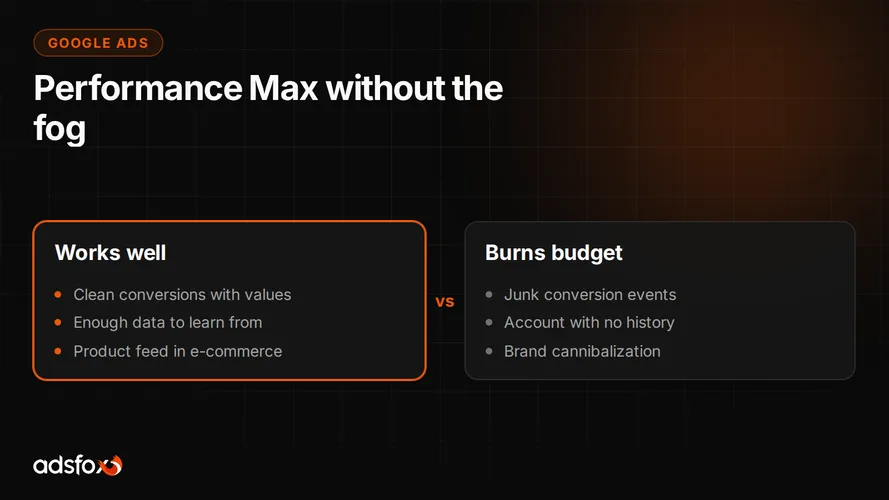
This guide is enough for a first Search campaign, and we say it honestly: many companies at this stage can manage on their own. The line runs further out: expanding into Shopping and Performance Max, remarketing, optimizing for lead quality, connecting CRM data. That is where mistakes start costing more than help, and the account needs systematic work, not an occasional look.
If you are at that point, or you would rather start on solid foundations from day one, see how we run Google Ads campaigns and book a free consultation. We will review your account or your plan and tell you straight what makes sense.