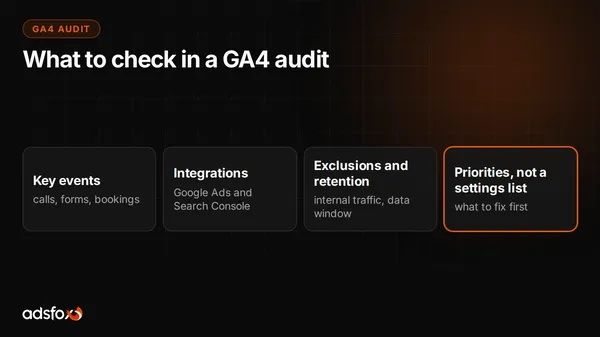
A GA4 audit reviews your measurement: key events, integrations, exclusions and data retention. A checklist from real adsfox projects and the most common errors.

Google Analytics 4 is a free tool that shows where your customers come from and what they do on your site. The problem is that the default setup is rarely enough: without correctly tracked events and conversions you optimize ad campaigns blind. These guides walk you through GA4 step by step, from a clean setup to the advanced settings that keep your data trustworthy.
A GA4 audit reviews your measurement: key events, integrations, exclusions and data retention. A checklist from real adsfox projects and the most common errors.
If you are starting with a clean slate, the most important part is creating the property, the data stream, and the basic settings correctly. Set the time zone, the currency, and internal traffic exclusions before campaigns start. Install the Google tag through Google Tag Manager rather than pasting it into the theme, so you can add and change tracking later without touching the site. A well-structured base saves hours of report fixing and reconciling contradictory numbers later. If you use the adsfox panel, our documentation shows how to integrate adsfox with Google Analytics 4.
Universal Analytics stopped processing data in 2023, and many businesses still have dashboards built on its logic. GA4 is event-based rather than session-based, counts conversions differently, and models cross-device behavior. If you still compare new numbers to old reports, expect differences that are not errors. Rebuild your key reports around events and conversions instead of pageviews and bounce rate, and archive the old exports for reference.
GA4 becomes valuable once you connect it to the rest of Google's tools. Linking Google Ads lets you import GA4 conversions into your campaigns and build remarketing audiences from site behavior. Linking Search Console shows which search queries actually bring visitors and how they behave afterward. Together they give you the full path from ad impression or organic click to purchase or inquiry, and they tell you where budget should go. If you run campaigns with us, this is one of the first things we check in a marketing audit.
Everything in GA4 is an event. You will need to create additional events for the actions that matter to your business (form submission, phone click, quote download, booking) and then mark the important ones as key events (conversions). Verify them in DebugView before you trust them. Correctly measured conversions are the precondition for any sensible optimization: without them Google Ads and Meta learn from the wrong signals and waste money. For businesses that close deals offline, GA4 conversions are only the first step; the second is sending closed-won data back to the ad platforms, which we cover under offline conversion tracking.
Once data is flowing, you can organize it and use it for ad targeting. Build audiences in GA4 (visitors who viewed a service page but did not contact you, past customers, high-intent visitors) and share them with Google Ads. Google Signals adds demographic data and cross-device measurement for signed-in users, subject to thresholds. Content grouping lets you evaluate whole sections of the site (blog vs services vs case studies) instead of individual URLs.
A few settings guard data quality. Exclude referrals from payment gateways and your own booking tools so that a customer returning from Stripe or Calendly does not start a new "referral" session. Exclude internal traffic by IP so your team's visits do not inflate the numbers. Extend the data retention period from the default two months to 14 months so that explorations can look further back. If you want measurement that survives ad blockers and browser restrictions, look at server-side tracking, which sends events from your server instead of the visitor's browser.
Differences are normal, because each tool counts differently: different attribution windows, different conversion models, different treatment of ad blockers and consent. What matters more than a perfect match is a consistent trend. If the gap is large, check integrations, traffic exclusions, and event setup. If you would rather have someone set all of this up for you, book a free consultation.
GA4 is built on an event model rather than sessions and pageviews. It tracks across devices, puts more weight on privacy, and counts conversions differently. In practice that means new reports and new logic, so it is worth setting it up deliberately instead of relying on defaults.
The basic setup (property, data stream, marking key events) can be done without code using the Google tag and the GA4 interface. Advanced events and server-side measurement usually require Google Tag Manager or a specialist, but getting started is within reach of a non-technical owner.
Each tool counts differently: different attribution windows, conversion models, and handling of ad blockers and cookie consent. A consistent trend matters more than an exact match. If the gap is large, check integrations, traffic exclusions, and event configuration.
Create events in Google Tag Manager for the form's success state and for clicks on tel: links, send them to GA4, mark them as key events, and verify them in DebugView. For calls from ads, use Google Ads call tracking or a call tracking provider that pushes events to GA4.
Yes. The standard version is free for most businesses. Google Analytics 360, the enterprise tier, is paid and only makes sense for very high traffic volumes and advanced data needs.