GA4 Audit: What to Check and How Often
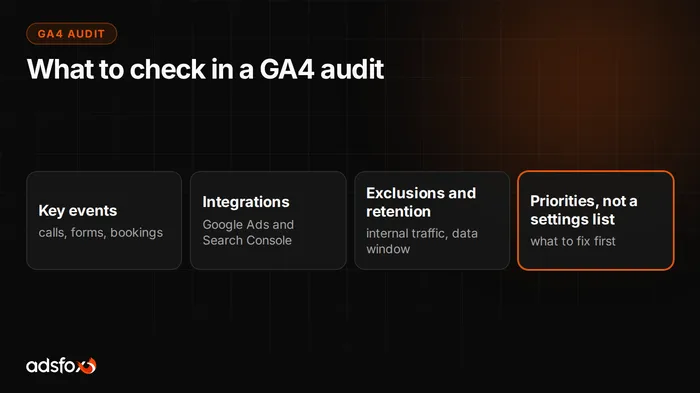
A GA4 audit is a review of your Google Analytics 4 configuration that answers one question: are the numbers you make decisions on accurate and complete? It checks key events, data streams, links to Google Ads and Search Console, internal traffic exclusions and data retention, and the result is a list of problems ranked by their impact on your decisions, not a bare inventory of settings. We run an audit like this every time we take over a campaign, and experience tells us that measurement is broken more often than business owners suspect: one of our clients had analytics that had not collected data for more than a year, and nobody had noticed.
What exactly to check in a GA4 audit
The checklist we use in practice, from most to least important:
- Key events match real business goals. A phone call, a submitted form, a booked appointment, a purchase; not “button click” and not a page view. In a campaign for an aesthetic medicine clinic we tracked appointment bookings and phone number clicks as separate events; only then could we calculate cost per lead (about $5) instead of cost per click.
- Data is being collected at all. It sounds trivial, but a law firm client’s site only had the old Universal Analytics code, so from the day UA was switched off, no data came in at all. Details in the law firm case study.
- Integrations: Google Ads and Search Console are linked. Without the first, your campaigns cannot see conversions; without the second, you cannot see how the site performs in organic results. For that same client, Search Console did not exist; once we set it up, it turned out Google had indexed just 4 pages of the firm’s site.
- Internal and developer traffic is excluded. Visits from your own team and your agency inflate traffic and distort conversion rates, especially on smaller sites.
- Data retention and permissions. The default retention for detailed data is 2 months; for year-over-year analysis you have to raise it deliberately. While you are there, review who has access and in which role.
- Measurement matches the site. After a redesign, events often point to elements that no longer exist. Check it in DebugView by clicking through your own site the way a customer would.
What errors show up most often in an audit
Four repeat across our implementations. Dead measurement after changes: the site got a facelift, the form was swapped for a new one, and the event still listens for the old one; the numbers look normal, they are just understated. Tracking traffic instead of conversions: reports full of page views and sessions, zero information about where the phone calls come from. No clickable phone number: without a tel: link you cannot measure the most important conversion for a service business; that was one of the first fixes in the law firm campaign. Blind to indexing: without Search Console nobody knows whether Google can see the site at all; the “4 indexed pages” case came to light only because of the audit.
The lesson from these examples is the same every time: measurement errors do not hurt right away. They hurt in the decisions made for months on the wrong numbers.
How often should you audit GA4?
Three sensible rhythms. Once a quarter, a full pass through the list in this post; configurations break quietly, usually alongside changes to the site. After every major change: a redesign, a migration, a new CMS, swapped forms or plugins; this is the most common moment when measurement dies unnoticed. Before increasing ad budget: scaling campaigns on bad data locks in bad decisions, so before you add money, make sure the conversions the algorithm optimizes for are real.
If you are setting GA4 up for the first time, start with our GA4 setup checklist, and as browser restrictions keep tightening, server-side tracking improves data quality.
GA4 audit on its own or as part of a marketing audit?
In practice you get the most out of a GA4 audit done together with a review of your campaigns and website, because measurement errors almost always surface when you evaluate ad performance, not when you stare at settings. That is why at adsfox analytics is part of the marketing audit: we check measurement, campaigns and the site as one system, and you get the result as a list of fixes ranked by impact on results.
Want to know whether your numbers are telling the truth? Book a free consultation; we will walk through your measurement using this list and show you what needs fixing first.