How to Integrate adsfox with Your Website

Preparing Your Access
Before you get started, double-check that you have admin access to your website’s backend. You’ll need it to embed the script into the site’s header, this is what bridges your website to adsfox, unlocking seamless CRM integration and ad platform optimization for better lead quality and conversion tracking.
Where to Get the Script?
- Log in to your adsfox account.
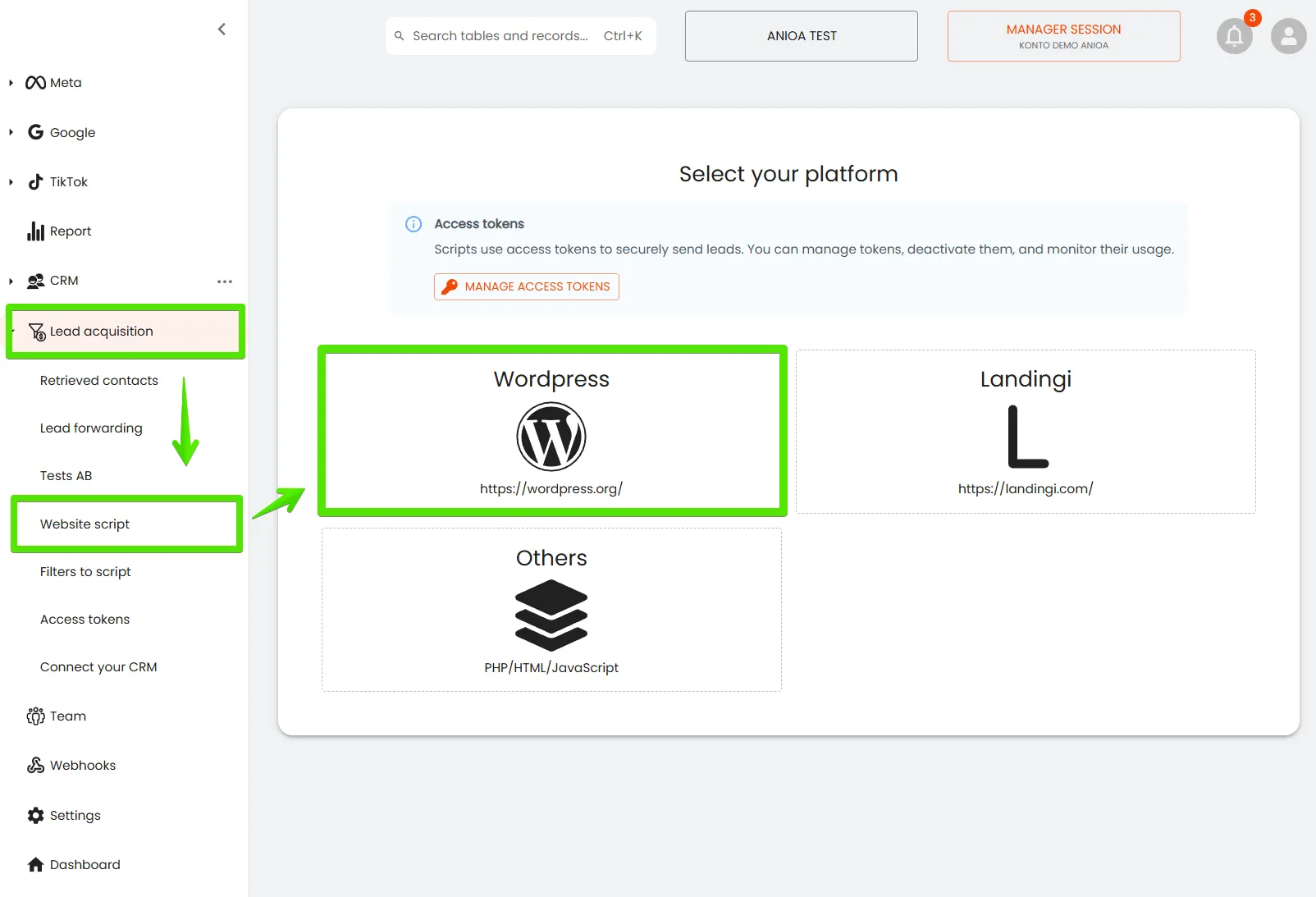
- Head to Lead acquisition → Website Script.
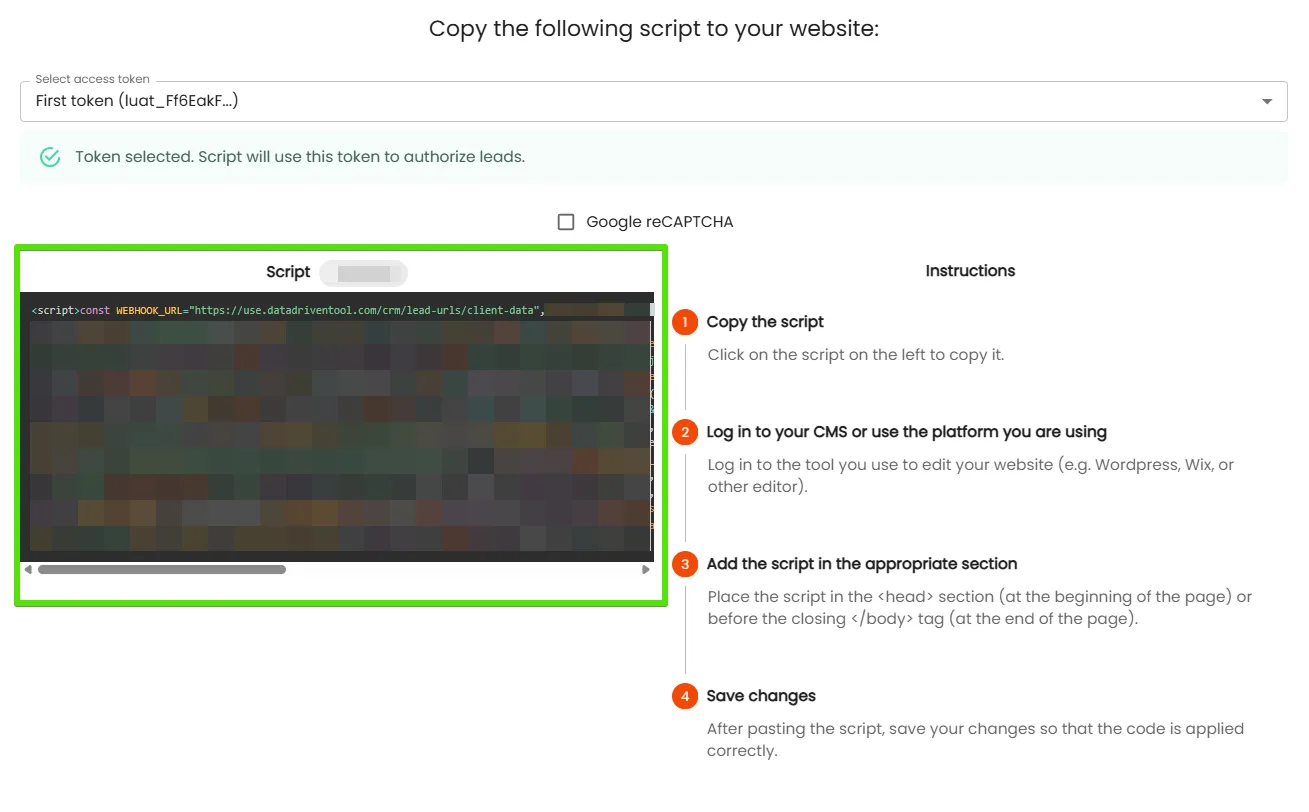
- Click the Script button to generate the code.
4. Click inside the script field to copy it.
Embedding the Script on Your Site
Next, navigate to your website’s admin panel. Find the section for editing headers (commonly referred to as the “header” area) to ensure the script loads on every page across your site.
Paste the copied code into the appropriate spot and save your changes.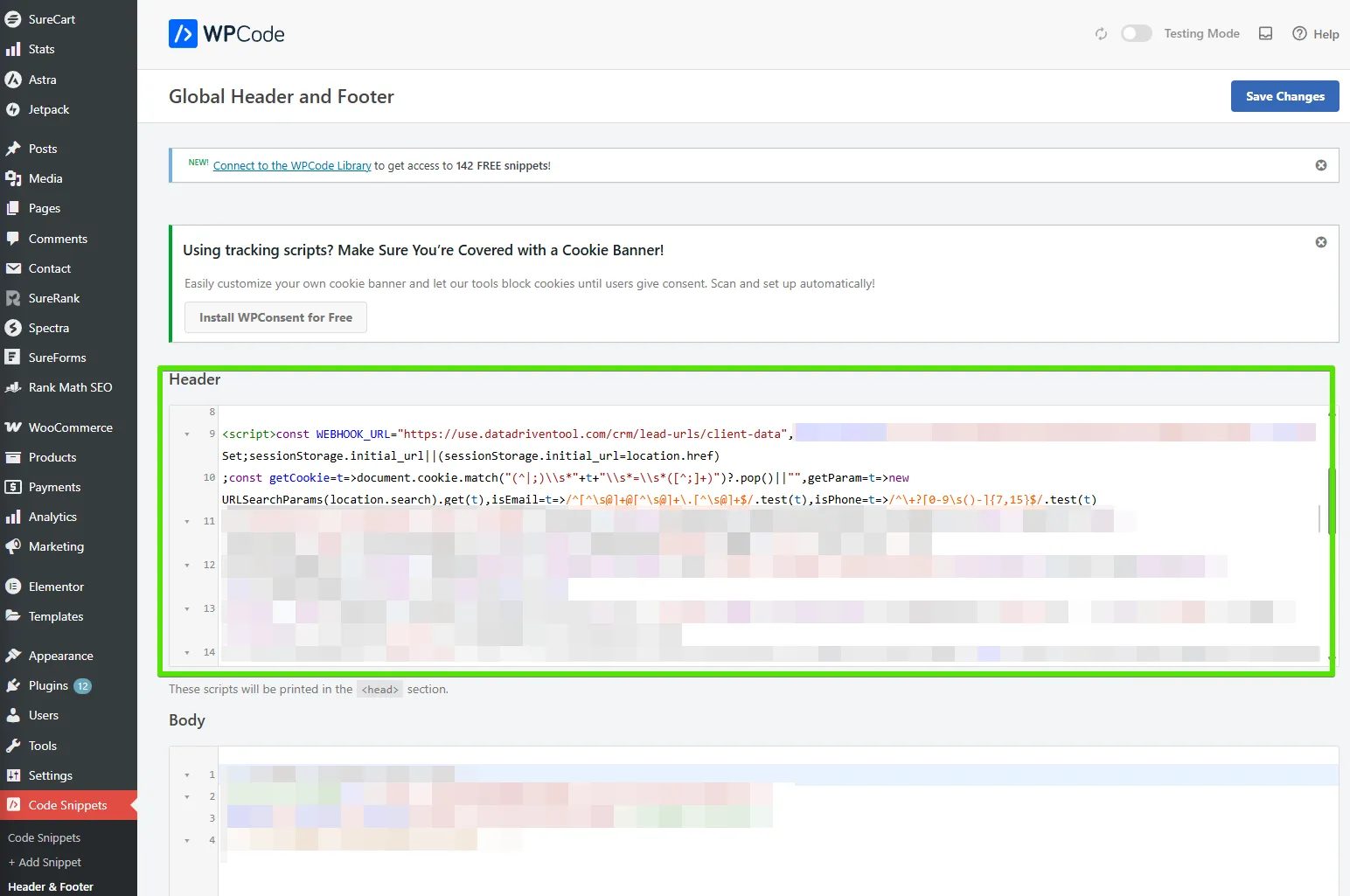
Don’t Forget About Caching!
After embedding the script, make sure to:
- Flush your site’s cache,
- Clear your browser’s cache.
If you skip this, the integration might not kick in right away, even if everything’s configured correctly. Refreshing clears the path for immediate results, letting you experience adsfox’s full potential in lead attribution, campaign optimization, and excluding unqualified leads without delay.
What’s Next?
Once your website is connected to your CRM via adsfox, take it further by learning how to integrate with Meta. This step automates lead flow from your ad campaigns directly into your adsfox tables, enhancing lead validation, reducing CPA, and providing end-to-end visibility into performance marketing.
In our next guide, we’ll break down how to set up this integration step by step.