How to Connect adsfox with Squarespace?

The Squarespace integration with adsfox enables automatic capture of leads from forms placed on your site and sending them to the system via server-side tracking / Conversion API.
After adding the dedicated script in the Code Injection section (or adding it via GTM), adsfox starts registering every form and then sends lead information to CRM and ad platforms: Meta, Google Ads, TikTok, LinkedIn, and GA4.
This allows you to analyze the quality of generated leads, tag them (qualified / non-qualified / sales), and optimize campaigns based on real sales data, not just submitted forms. The integration process itself is simple and requires only pasting the adsfox script in the appropriate place in the Squarespace panel.
How to Connect adsfox with Squarespace?
Remember that the ability to add custom code to your site using Squarespace is available up to the Business subscription level!
1. Log in to Squarespace.
2. Select your site and go to settings.

3. Select advanced settings.

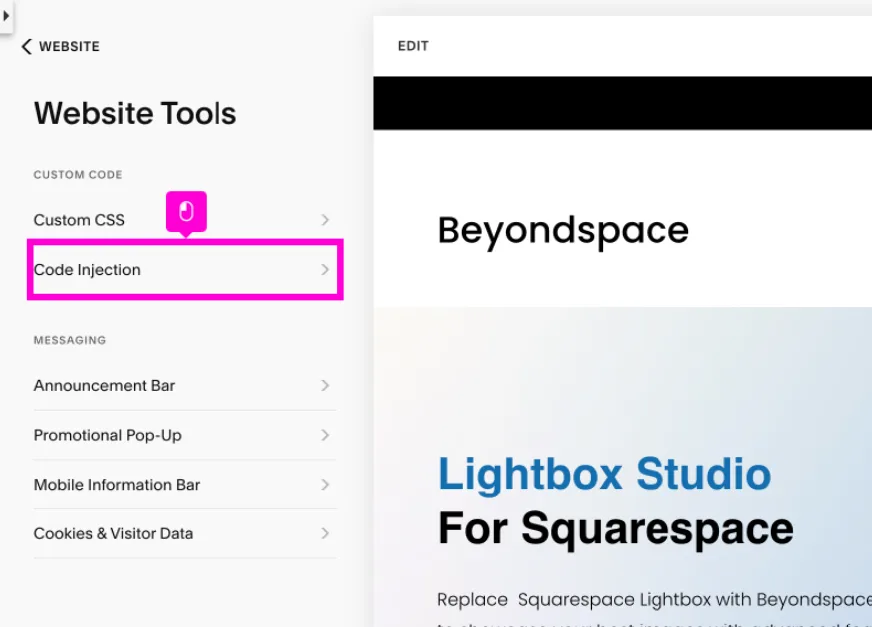
4. Then go to the “Website” section, then select Website Tools, and in the next step click “Code Injection”:
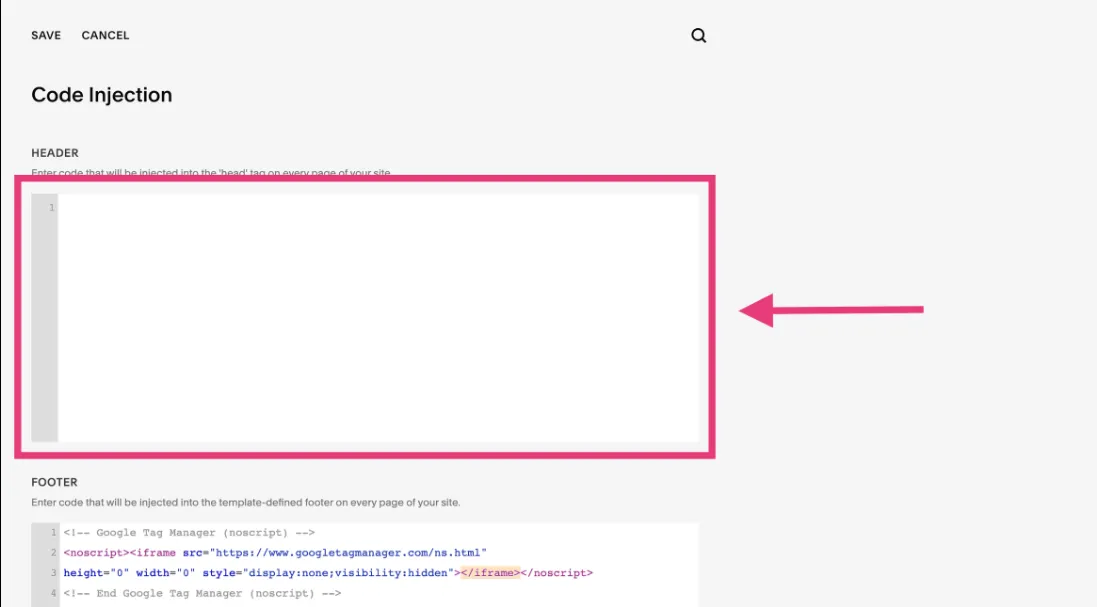
5. In this place, you can add the dedicated code to your site:
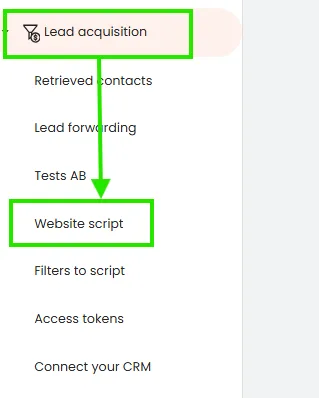
You can find the dedicated adsfox script in your adsfox panel under the Lead Acquisition tab, then website script:
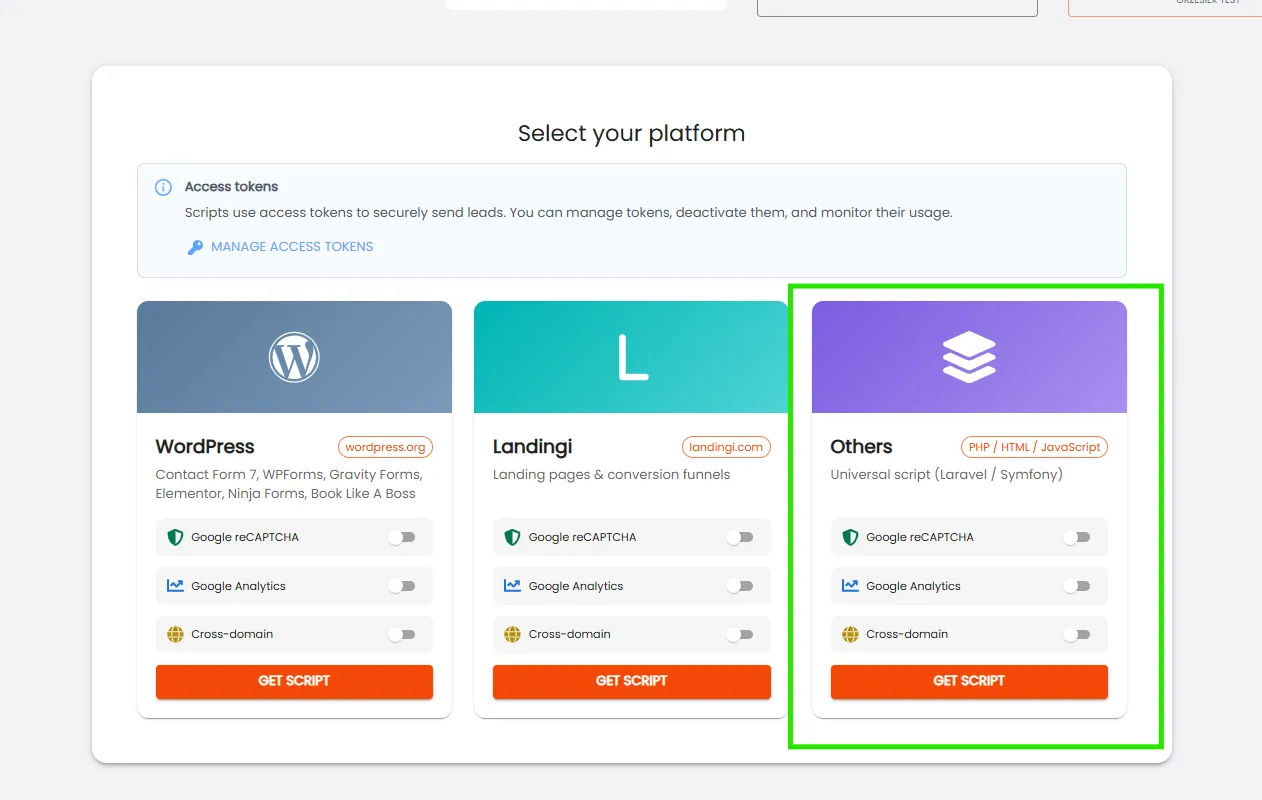
Next, from the list, select the platform you use to manage your website. For Squarespace, this will be “others”. If your site uses reCAPTCHA or GA4, check those options before downloading the script.
If you’re using multiple domains or your form is on a subdomain, also check the 3rd option, i.e., Cross-domain:
After clicking “download script”, the following view will appear:
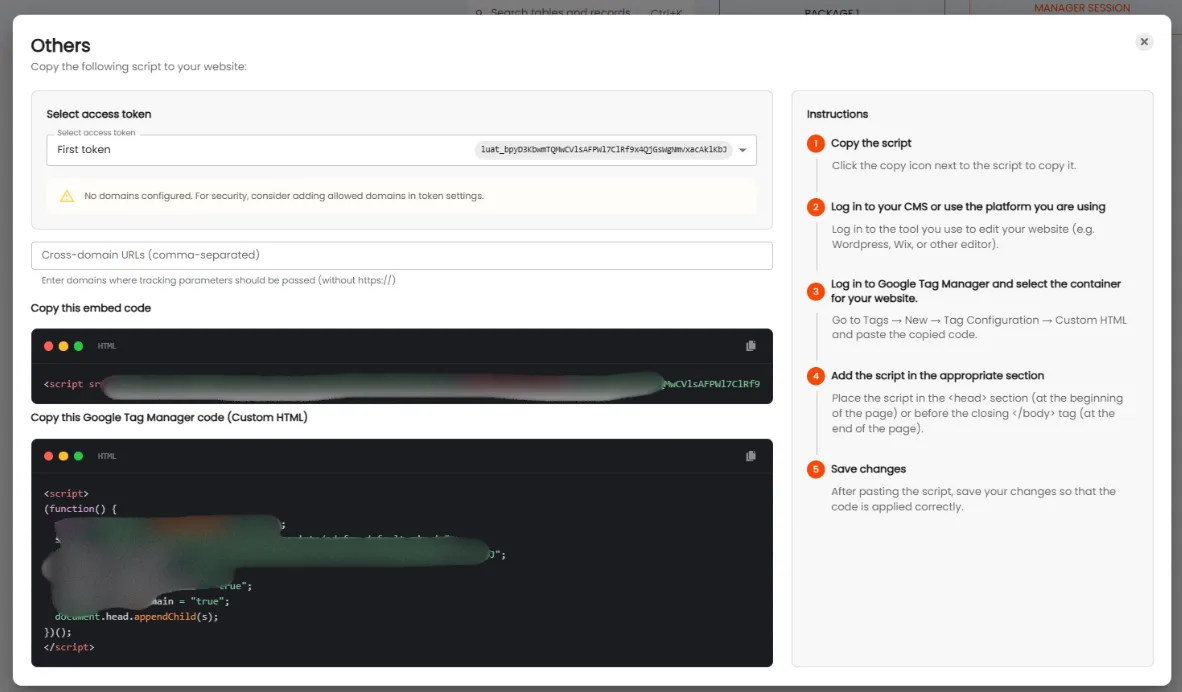
In the case of using multiple domains or a subdomain, enter them according to the panel view (separated by commas).
Then download the appropriate script. You have two options:
- Copy the embed and add it directly in your system (in this case, Squarespace—as described in the previous steps).
- You can implement Custom HTML via Google Tag Manager added to your page.
Regardless of which option you choose, remember to save the changes. After saving the changes, the script will be activated on your landing page.
From that moment, all leads submitted from forms will be automatically:
- Registered in adsfox,
- Available in the Retrieved contacts tab,
- Synchronized with CRM,
- Marked as new lead / qualified / non-qualified / sales,
Sent server-side to Meta CAPI, Google Ads CAPI, TikTok API, LinkedIn API, and GA4.
This allows for a full assessment of contact quality, better audience segmentation, and more effective optimization of ad campaigns based on the real value of acquired customers. To ensure the integration is working correctly, submit a test form and check if the lead appeared in adsfox in the Retrieved contacts tab.
The Squarespace + adsfox integration is an essential element of the modern lead generation process and a key step to implementing precise, browser-restriction-resistant server-side tracking.
What next?
After connecting your page with your CRM, it’s worth learning how to Connect adsfox with Meta. This way, all leads from ad campaigns will automatically go to your tables in adsfox.
In the next post, you’ll learn how to configure this integration step by step.