How to Create a Google Ads Campaign for Qualified Leads

Why Focus on Qualified Leads in Google Ads?
Traditional Google Ads campaigns often optimize for quantity over quality, leading to high volumes of low-value leads. By using adsfox’s conversion events like “Qualified Lead,” you can train Google’s algorithms to prioritize high-value contacts that are more likely to convert into sales. This approach leverages CRM integration to tag leads based on their value, providing a complete view of the customer journey from ad click to revenue.
adsfox stands out with its seamless CRM integration and ad platform integration, allowing you to tag and optimize leads based on their value. This conversion optimization ensures you’re focusing on high-quality leads that drive real revenue.
Prerequisites
Before creating the campaign, ensure:
- Your Google Ads account is connected to adsfox (refer to our guide on integrating adsfox with Google Ads).
- Conversion actions like “New Lead,” “Qualified Lead,” and “Sales” are set up in Google Ads via adsfox.
- You have access to your CRM data for lead tagging.
Step 1 Log In to Google Ads and Create a New Campaign
Go to your Google Ads account at ads.google.com.
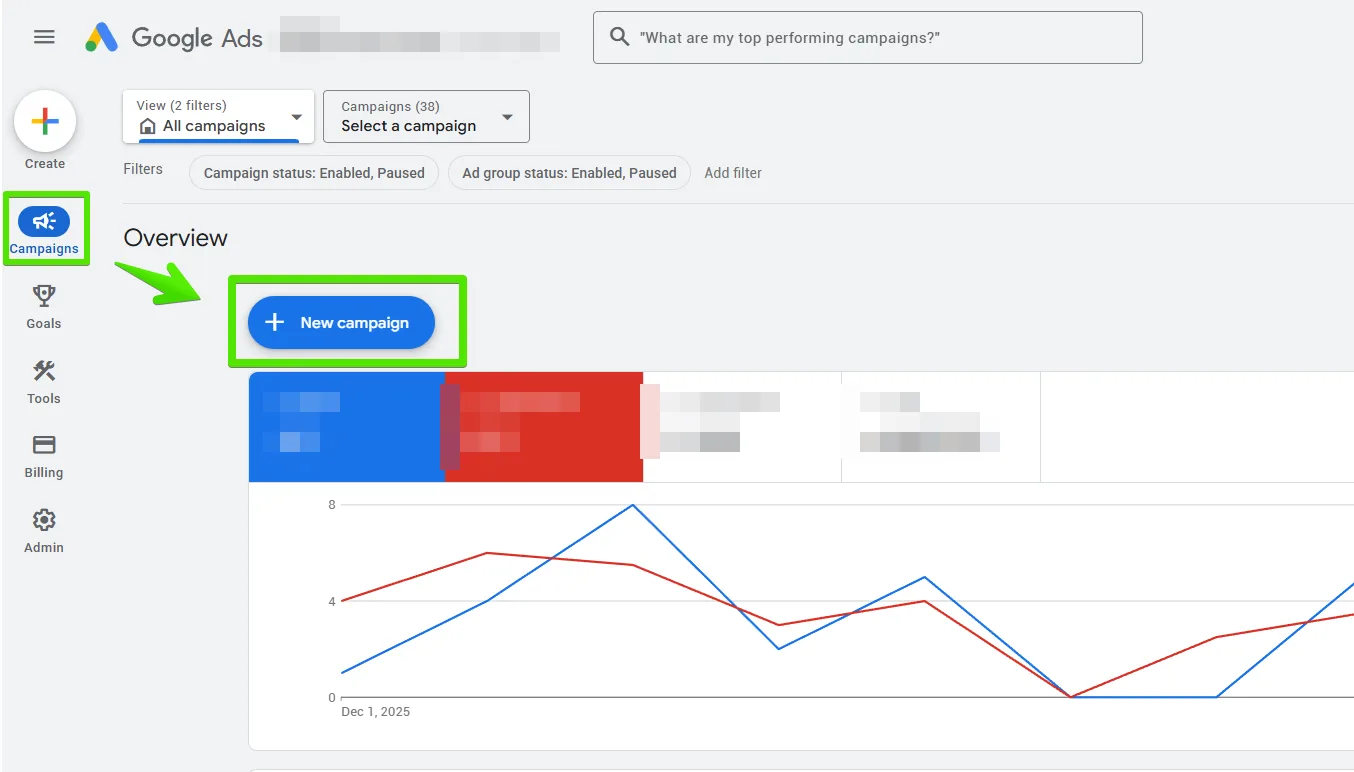
Click the “+ New Campaign” button in the Campaigns section.
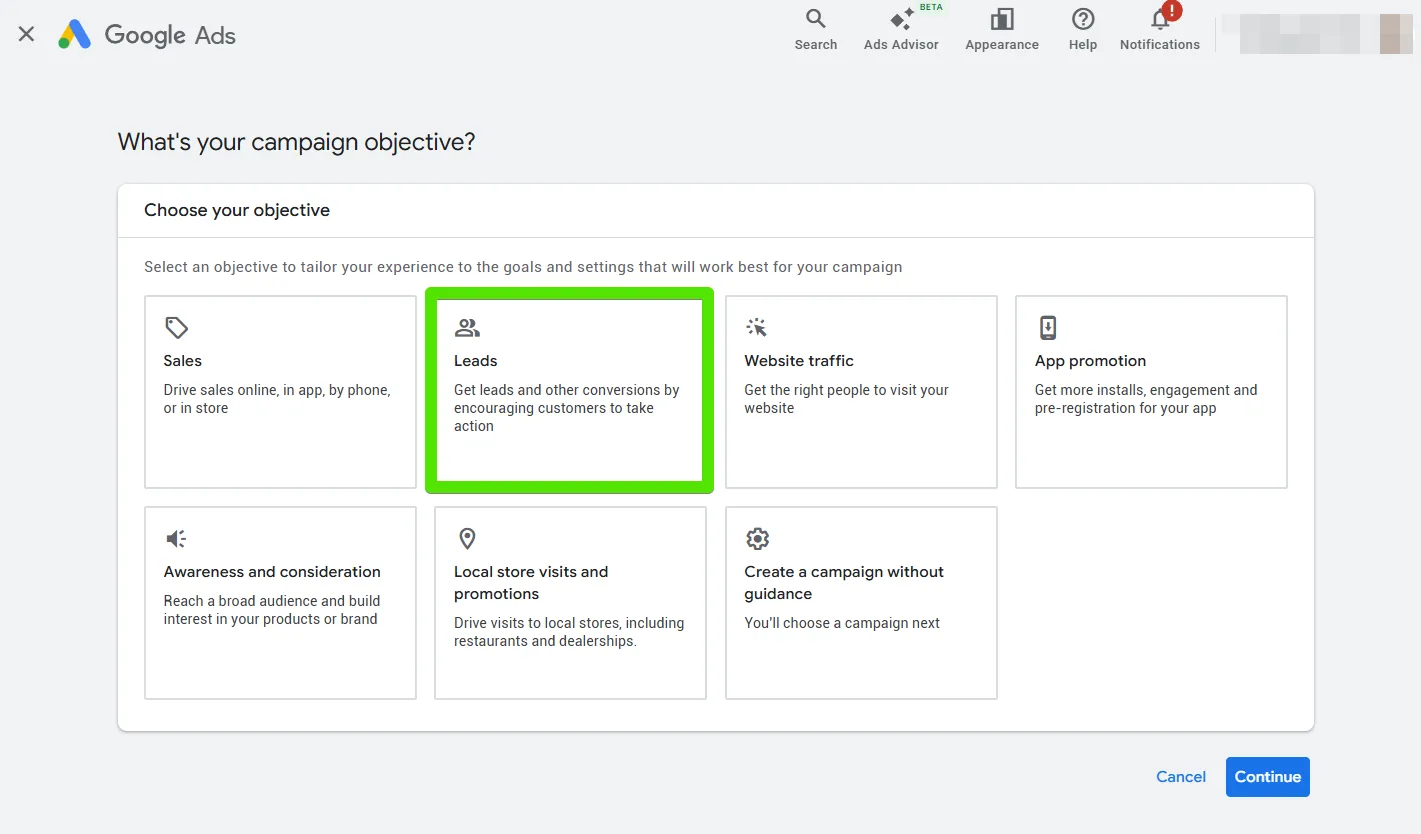
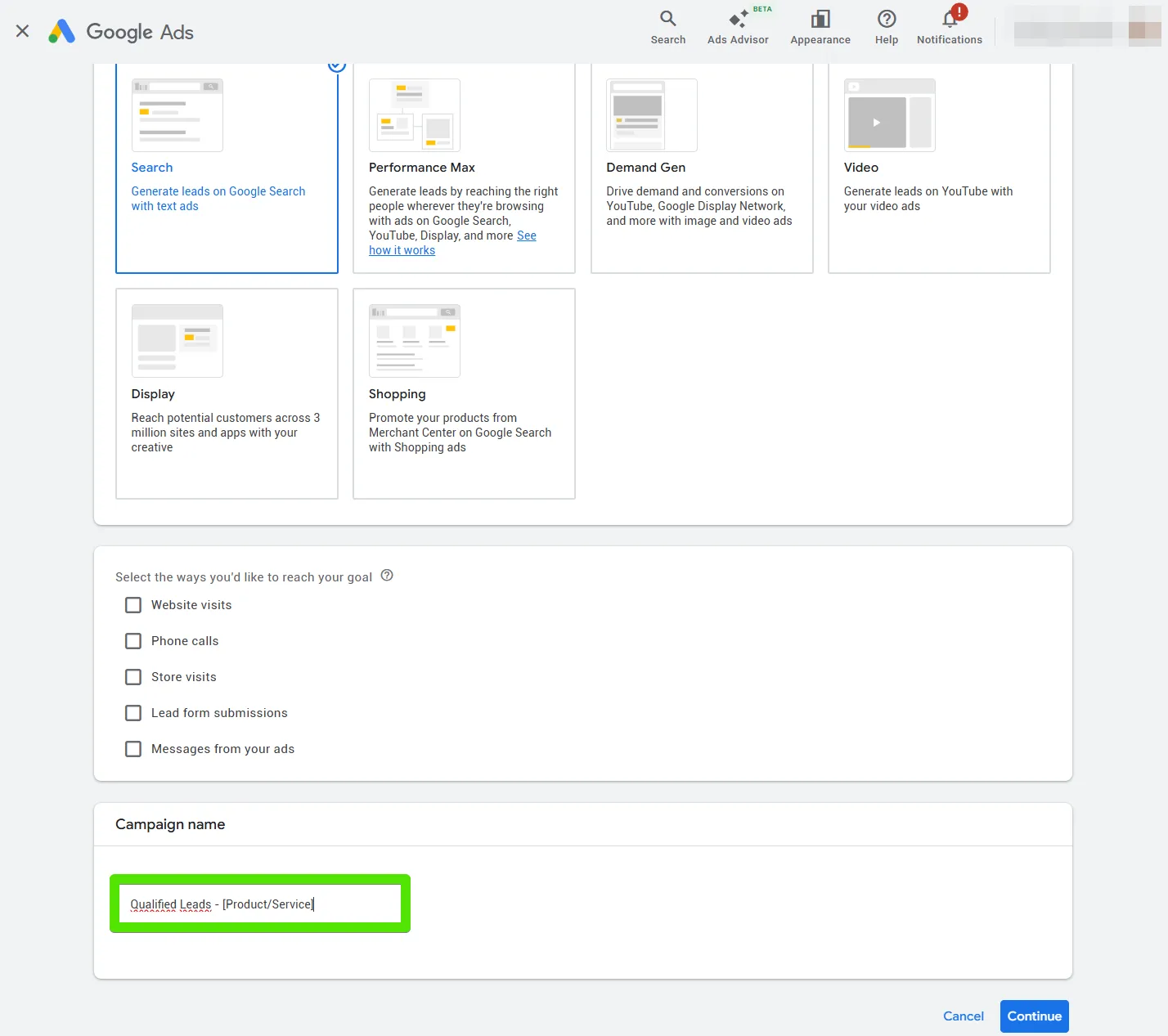
Select “Leads” as the campaign objective to align with lead generation goals.
Choose “Search” as the campaign type for keyword-based targeting.
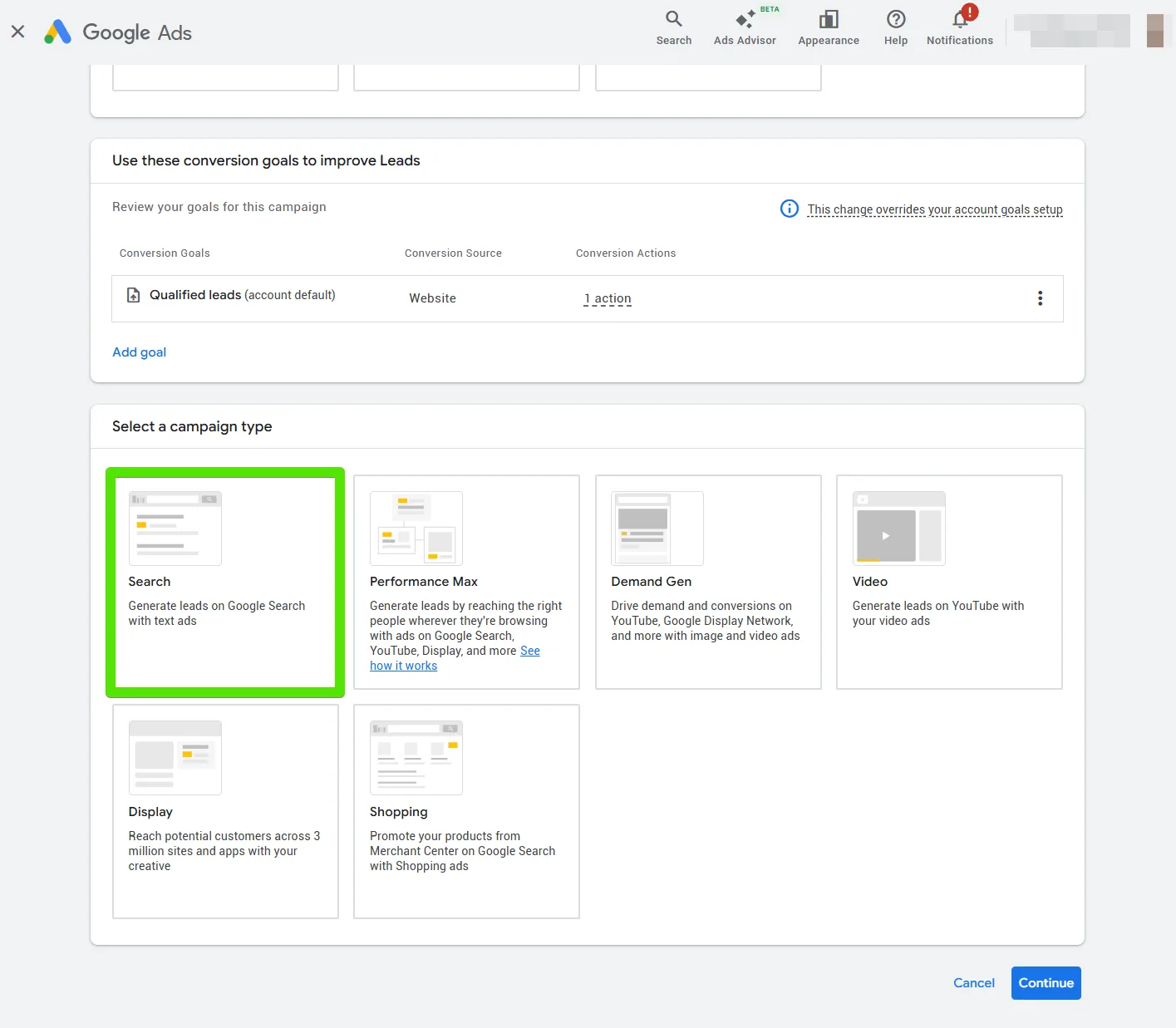
This setup ensures your campaign is optimized for driving qualified traffic to your site or forms integrated with adsfox.
Step 2 Configure Campaign Settings
Select the adsfox-generated events: “Qualified Lead” as the primary goal.
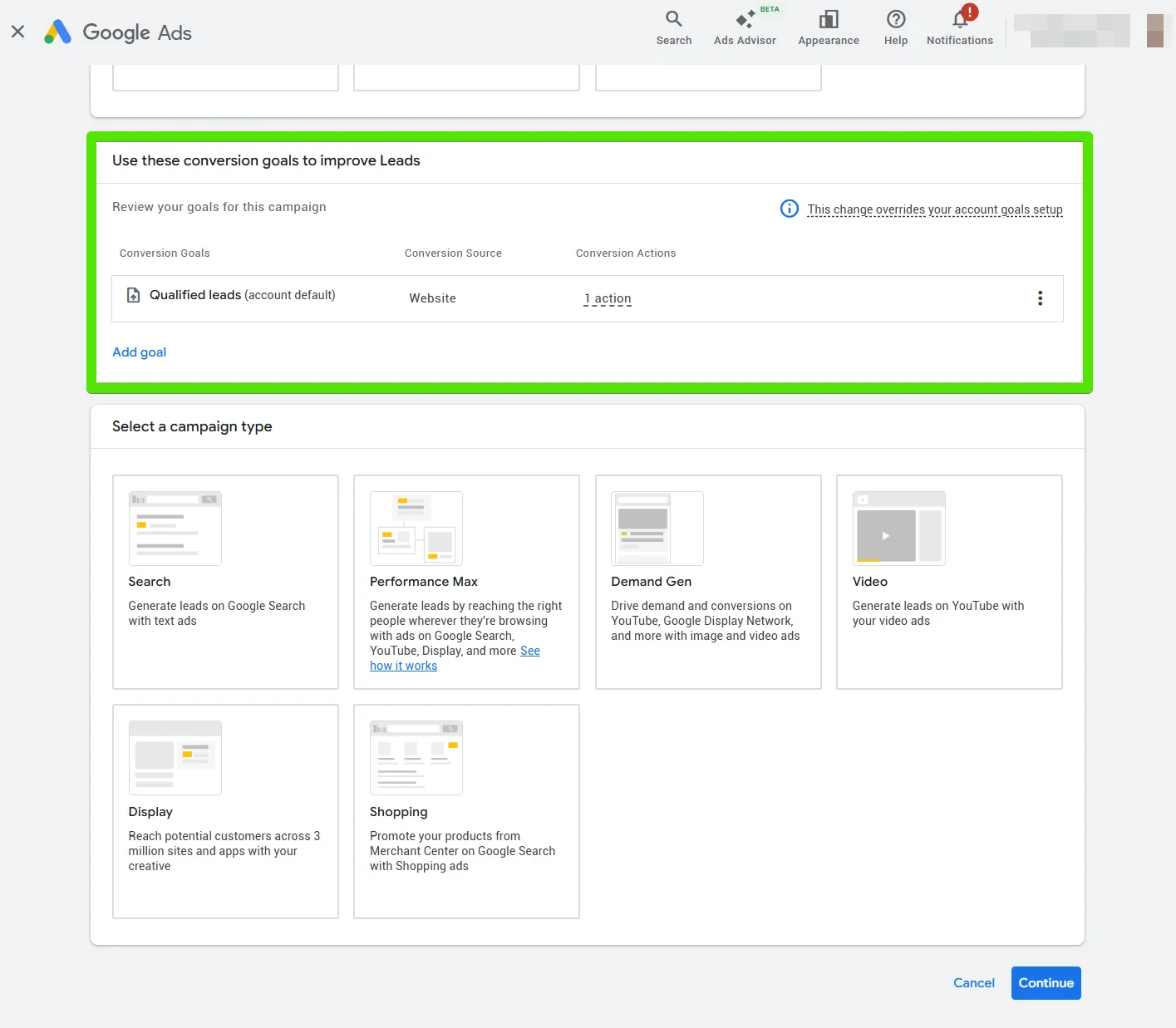
Enter a campaign name, e.g., “Qualified Leads – [Product/Service]”.
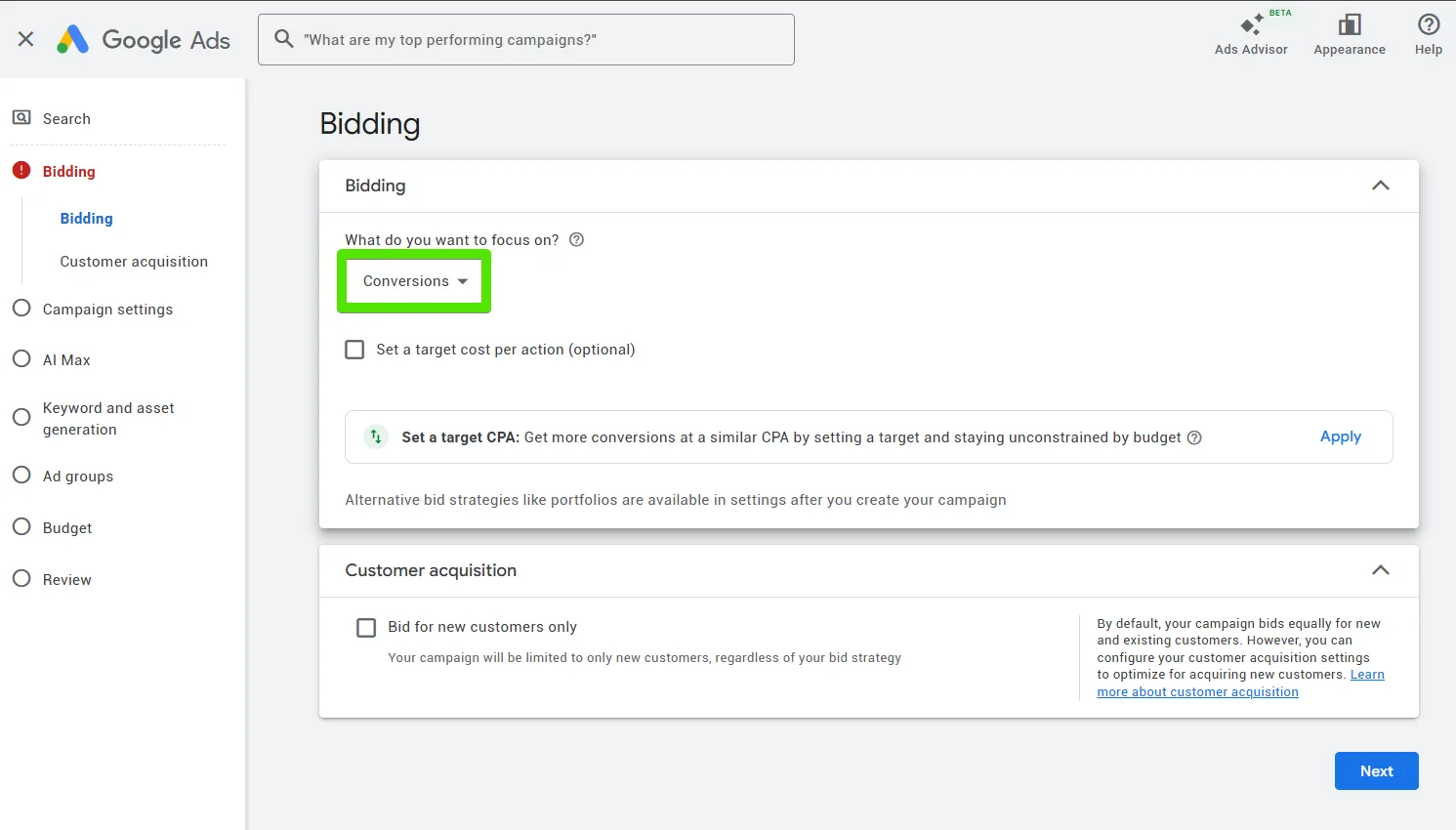
Set your bidding strategy. For qualified leads, select “Conversions”
Choose your target locations, languages, and networks (focus on Search Network for better intent matching).
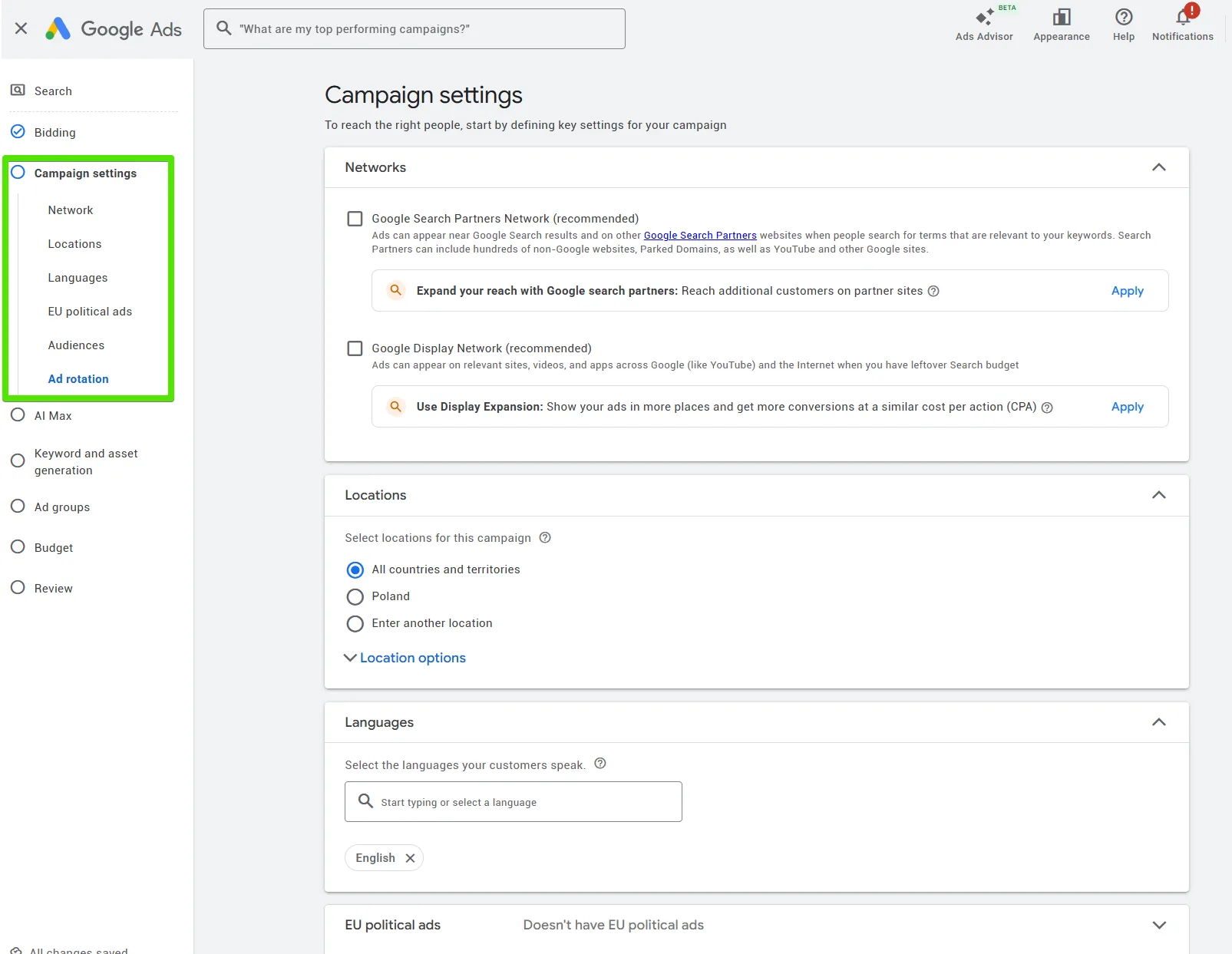
Set ad schedule if needed, based on when your audience is most active.
By targeting “Qualified Lead” as the primary conversion, Google’s AI will prioritize users likely to become high-value contacts, based on data from your CRM integration.
Step 3 Set Up Ad Groups and Keywords
Create ad groups themed around your products/services, e.g., “Service A Leads”.
Add relevant keywords using match types: broad, phrase, and exact. Include negative keywords to exclude low-quality traffic.
Use adsfox insights from previous campaigns to refine keywords that have historically driven qualified leads.
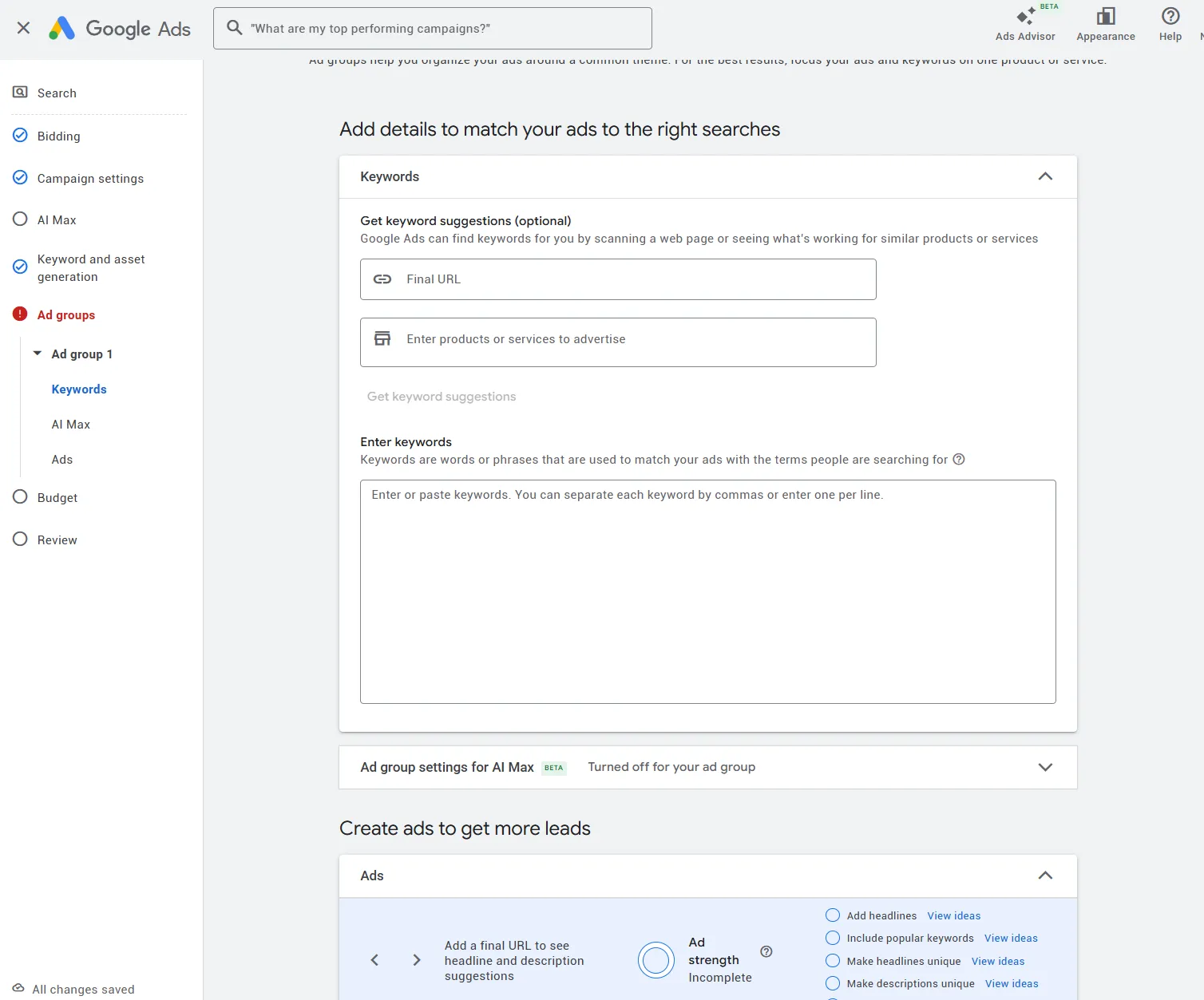
This step addresses key pain points for performance marketers by improving lead quality through data-driven keyword selection.
Step 4 Create Responsive Search Ads
Write headlines and descriptions that emphasize benefits and include calls-to-action like “Get a Free Quote” or “Sign Up Now”.
Add extensions: situs links, callouts, and structured snippets to increase visibility.
Ensure ads direct to landing pages with forms integrated via adsfox for seamless lead tracking.
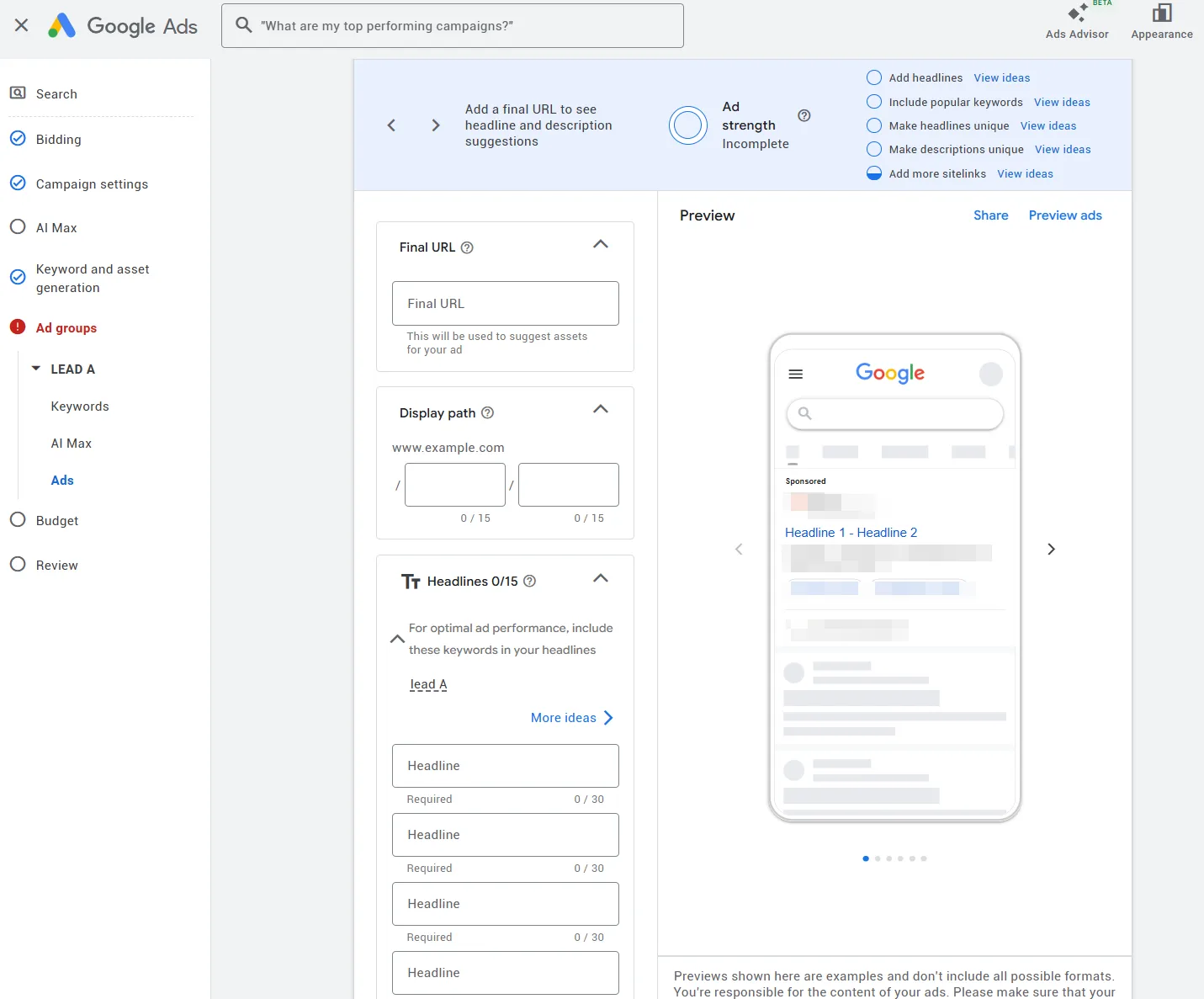
adsfox’s ad platform integration allows real-time tracking of these ads’ performance in terms of lead value, enhancing campaign reporting.
Step 5 Review and Launch
Review all settings for accuracy.
Use Google’s preview tool to check ad appearance.
Click “Publish campaign” to launch the campaign.
Monitor performance in adsfox dashboard for lead quality metrics.
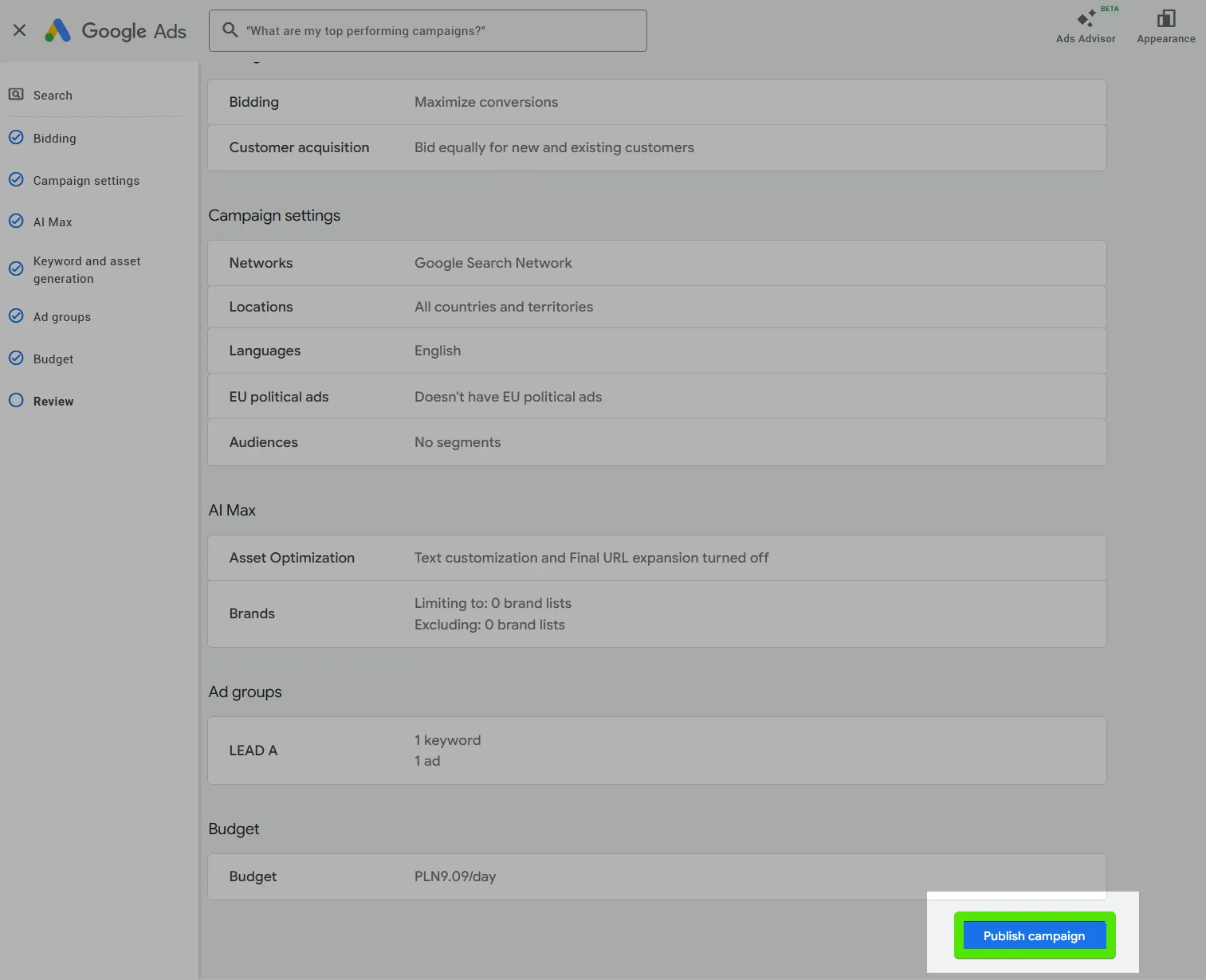
After launch, adsfox provides a complete view of the customer journey, from ad spend to signed contracts, making it a powerful tool for performance marketing.
Monitoring and Optimization
Once live, use adsfox to tag incoming leads as qualified or unqualified. This data feeds back into Google Ads, refining bidding and targeting. Regularly review metrics like cost per qualified lead and adjust based on insights.
This integration addresses key pain points for performance marketers, agencies, and businesses reliant on lead generation campaigns, such as improving lead quality, enhancing campaign reporting, and streamlining CRM integration.
What Next?
After setting up your Google Ads campaign for qualified leads, explore advanced optimization techniques.
In the next post, you’ll learn how to integrate your CRM with adsofox to scale your campaigns using adsofox data.
With adsofox, you gain a complete view of the customer journey, from ad spend to signed contracts, making it a powerful tool for performance marketing.