How to Import Campaigns to the CRM Panel in adsfox

- Go to the Meta > Campaigns and Ads tab.
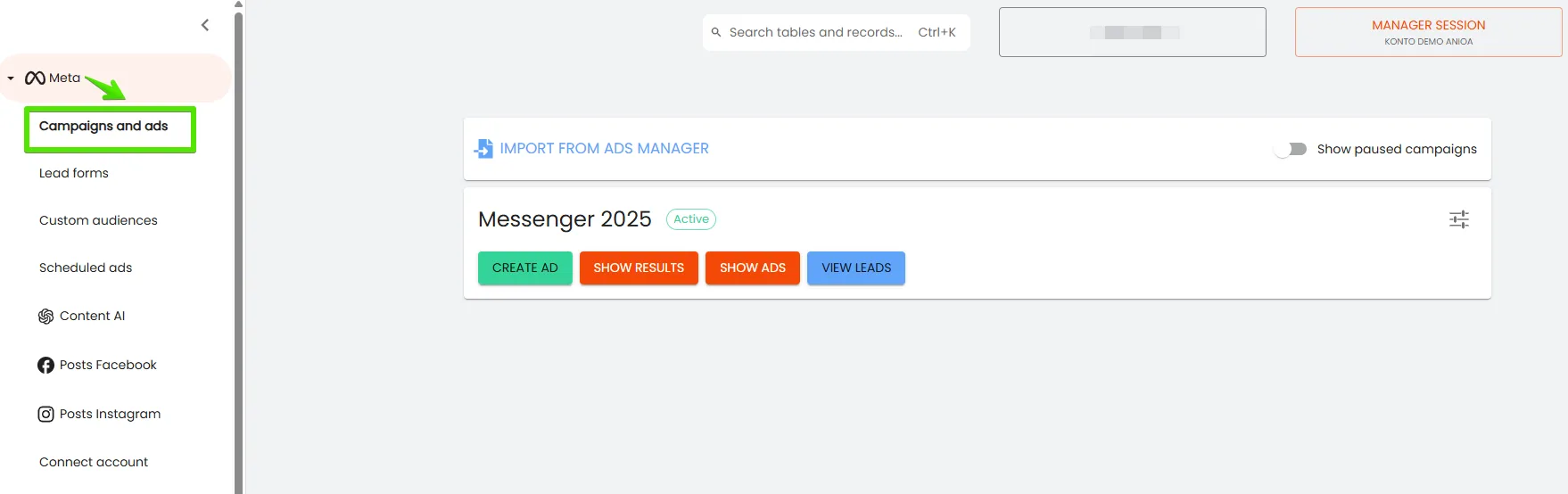
2. Then go to “import from ads manager.

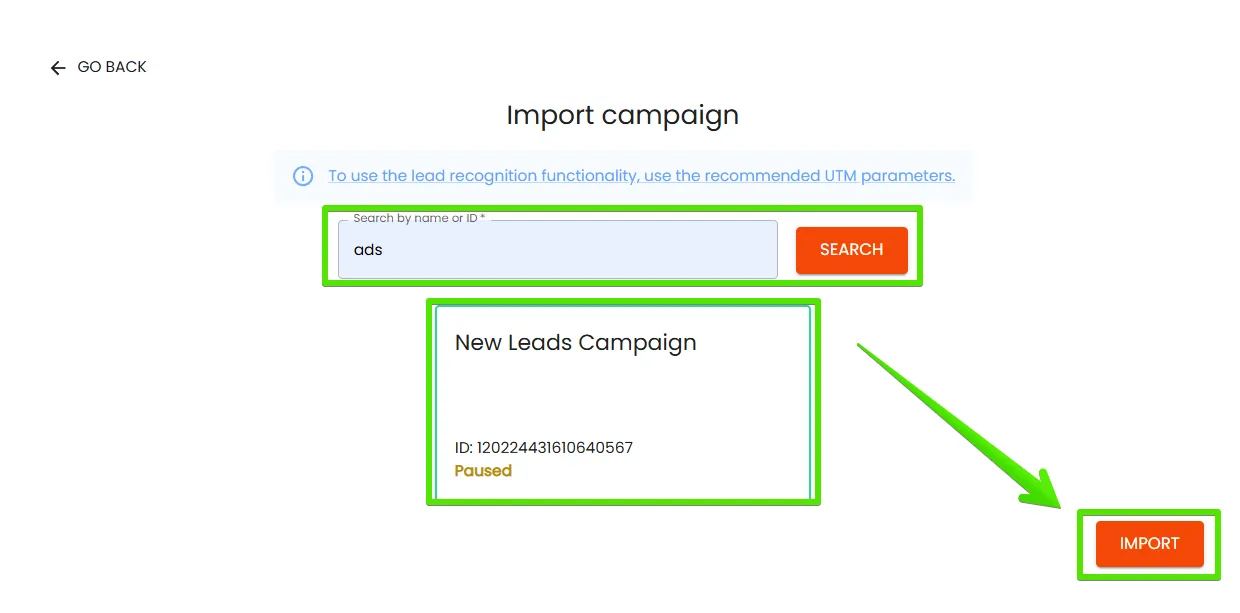
3. Search for the campaign by name (the same as in Ads Manager) or by campaign identifier (ID).
Benefit of Import
The main benefit of performing the import is the ability to analyze the effectiveness of individual ad creatives. Thanks to this, when browsing contacts in CRM, you can see a precise preview of the ad (e.g., specific photo or text) that generated a given lead.
Summary
Importing campaigns into the CRM panel gives you complete visibility into your ad performance without jumping between tools. Once imported, you can dive into the effectiveness of each creative, review leads tied directly to specific ads, and quickly pinpoint what’s driving the best results.
This import feature is the foundation for getting the most out of adsfox, it streamlines your data organization, makes analysis a breeze, and lets you manage campaigns and leads efficiently all in one spot.
Next Step: Creating Posts via the adsfox Panel