Importing a File with Lead Values into the adsfox Tool

This solution allows you to easily transfer lead value information to adsfox. Simply prepare a file with data such as email address, phone number, and transaction value, and the system will automatically assign appropriate values to the leads and, similar to CRM integration, send the data to advertising platforms (including Meta and Google Ads).
Lead values imported this way feed the same lead generation optimization loop as live CRM data.
Thanks to this, advertising campaigns can learn which contacts are the most valuable, and the user gains greater control over the effectiveness of marketing activities.
The rest of the instructions describe in detail how to prepare the file, the rules for proper data formatting, and the step-by-step import process.
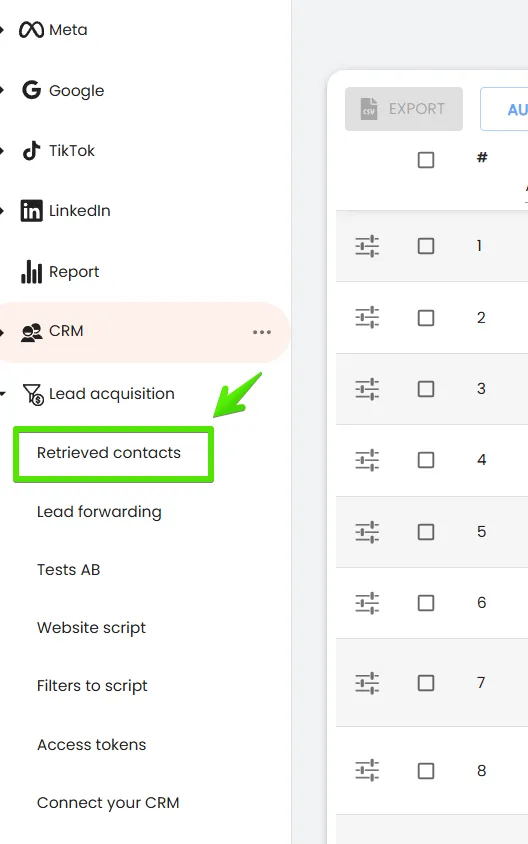
- After logging into the adsfox system, go to the Lead Acquisition tab and then Acquired Contacts.
2. Then, depending on whether the leads are acquired from website forms or from Facebook, select the appropriate tab:
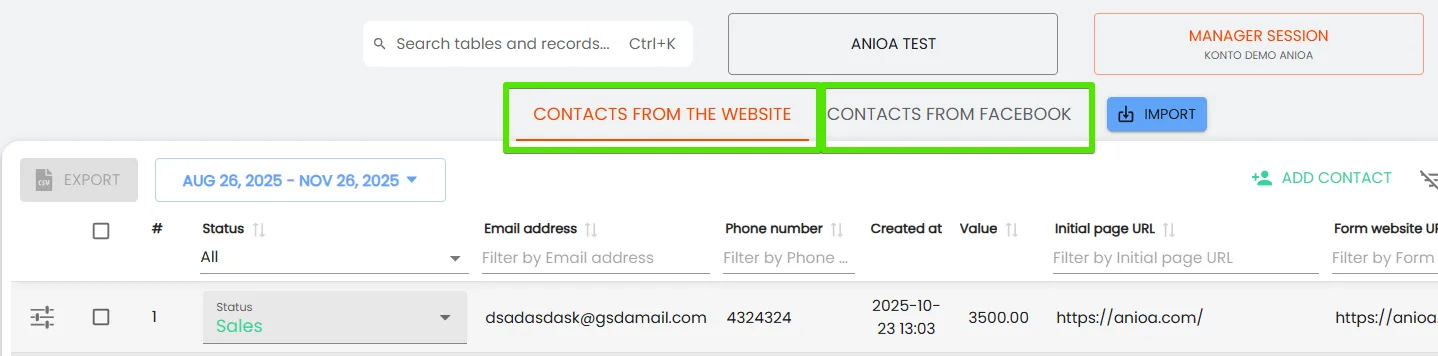
Thanks to connecting your website and advertising account with our tool, here you will see all leads acquired from either the website or Facebook:
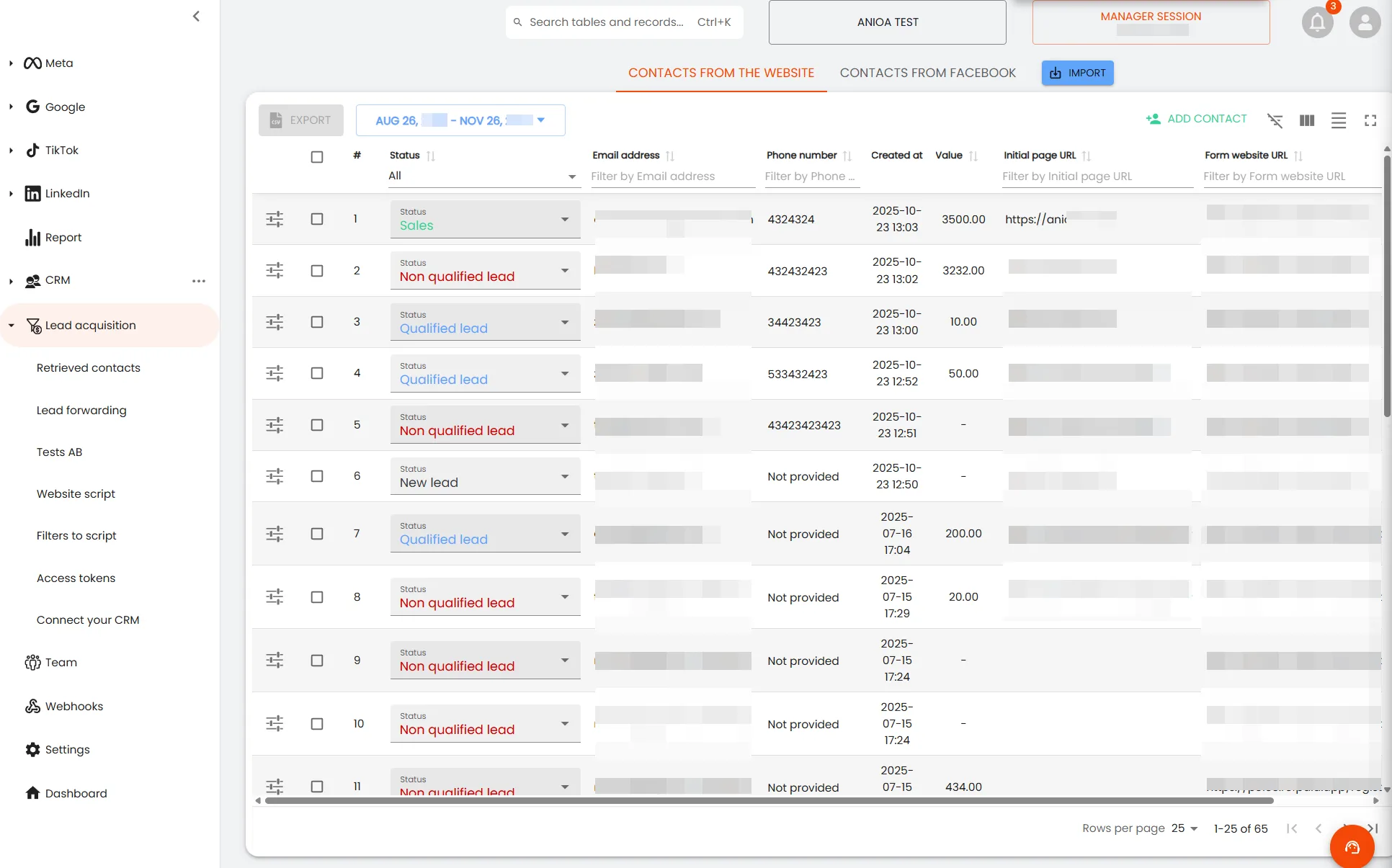
3. To tag their status and value via an Excel file, select the Import tab.
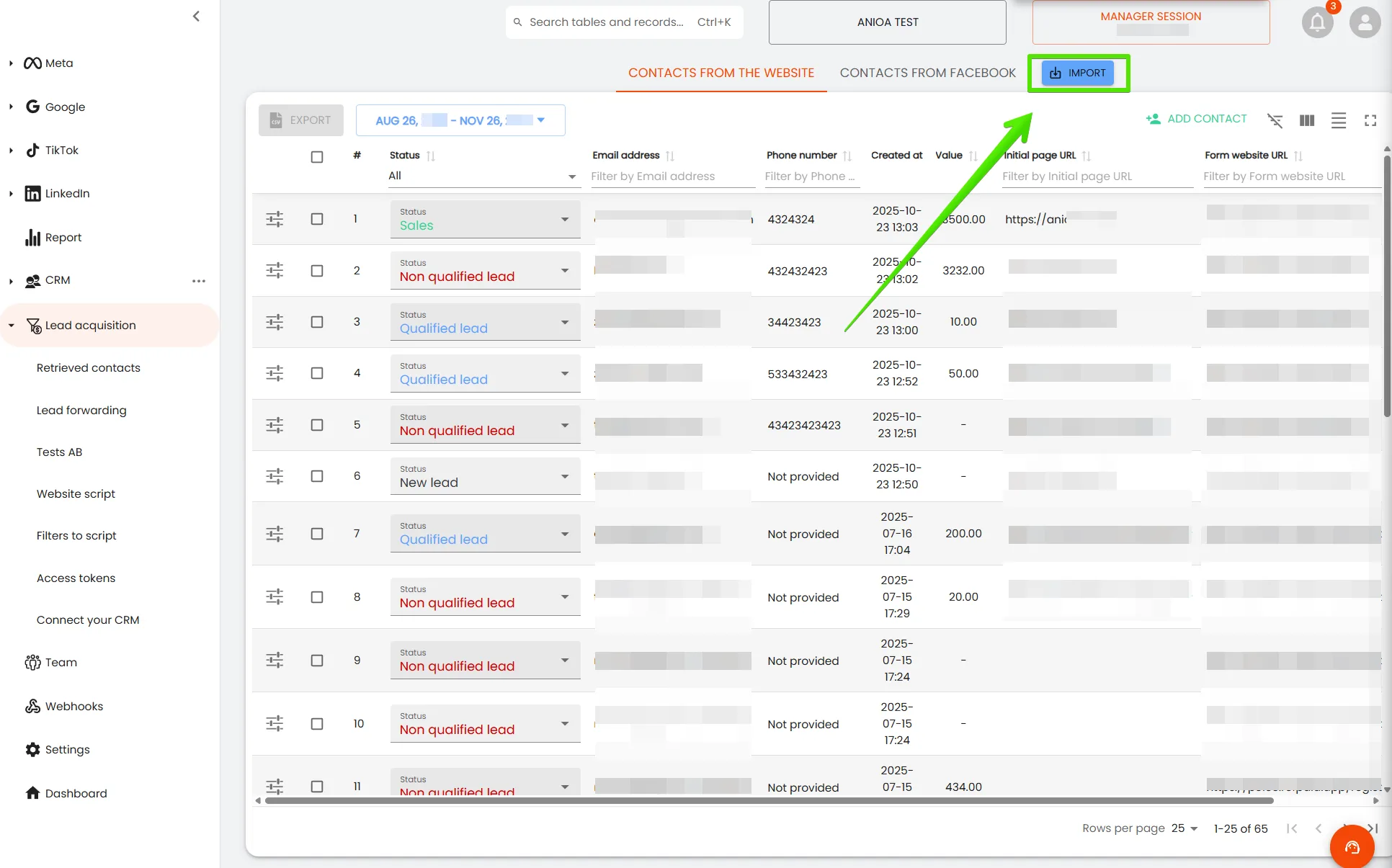
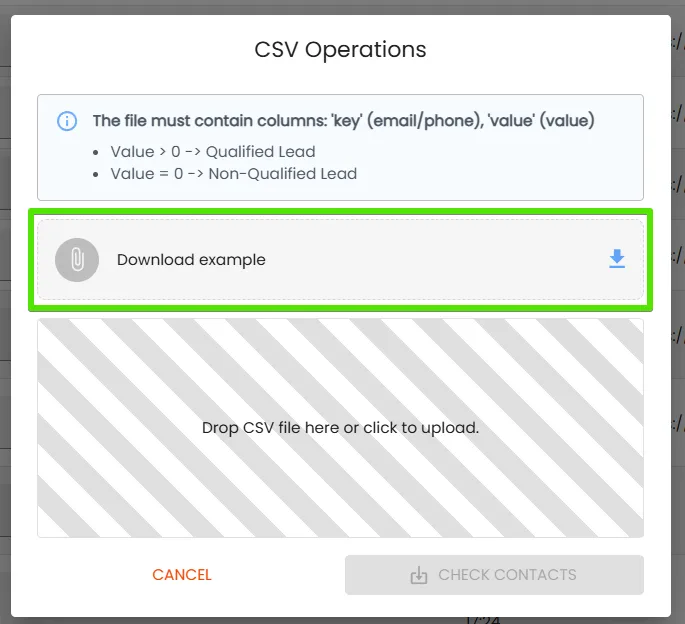
4. From here, you can download a template to prepare before importing.
This is what the template looks like when opened in Google Sheets:
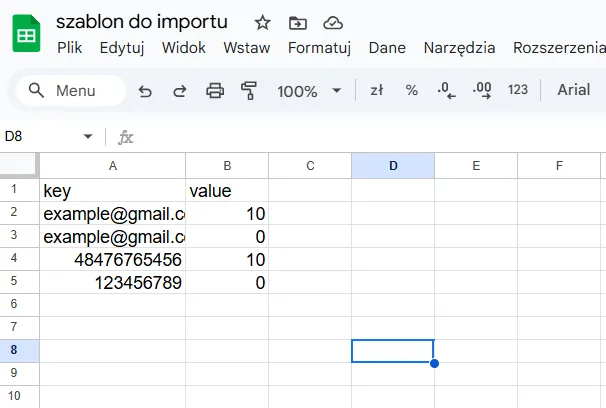
According to the prepared import template, two basic types of data are required:
a) key – here enter the email or phone number (one data point is sufficient)
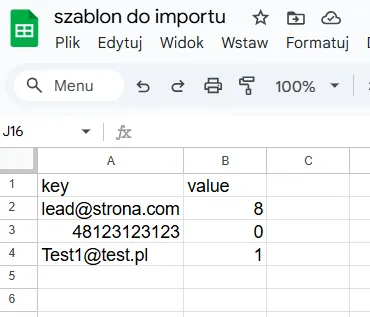
b) value – here tag the lead value where value 0 means unqualified lead, while values from 1-10 mean qualified lead !!!
An example of a completed file:
5. After filling out the template, save it in CSV format!
6. Go to the adsfox tool and add the file.
7. Click Check Contacts
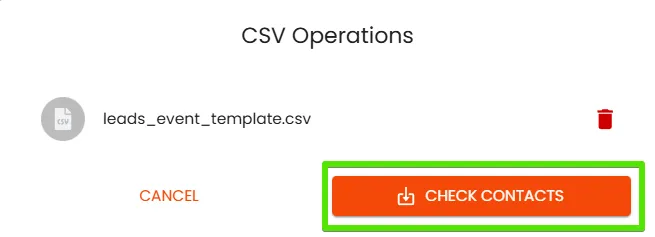
8. Then a message like the one below will appear. Click Send Events
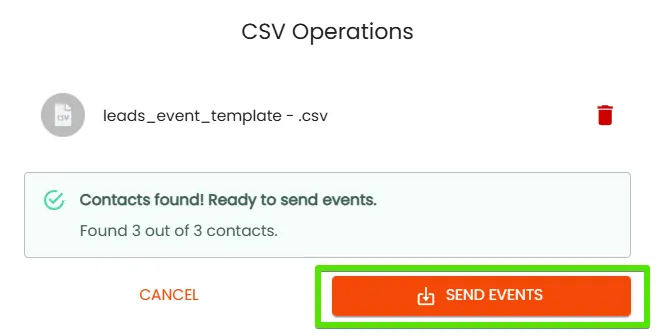
9. After sending the events, the system needs a moment to tag the leads and assign them a value. In the bottom left corner, you will see this message:

10. After the message disappears and the application is refreshed, the leads will be tagged with the appropriate qualification and value, according to the data sent in the import file.
Done!
From this moment, you can fully use the lead values file import feature in the adsfox tool.
Thanks to this feature, it is possible to send data from Excel or Google Sheets in a few minutes, and the system will automatically assign them appropriate values and pass the information to advertising platforms.
This is a quick way to optimize campaigns even without CRM integration and to identify leads that generate the greatest profit.
Regularly updating values in adsfox will increase the effectiveness of ads – without additional workload.
What’s next?
Once the configuration described above is complete, the next step is to consistently and deliberately tag your leads, regardless of whether they come from Meta, Google, or other acquisition channels. The way leads are qualified and labeled directly impacts how advertising algorithms learn and optimize campaigns toward real business value — not just form submissions.
To fully leverage the benefits of the integration, move on to lead tagging best practices in adsfox. There you’ll find clear guidelines, practical scenarios, and proven workflows for qualifying leads, assigning values, and aligning sales and marketing teams around the same data.
Learn more: Lead tagging in adsfox