Migration, Export, and Import of Data

Export Data to CSV
Each table should be exported in full to CSV format. This is a universal file format that can be easily opened in Excel or other analytical tools. It enables conducting additional analyses and archiving data on a local drive.
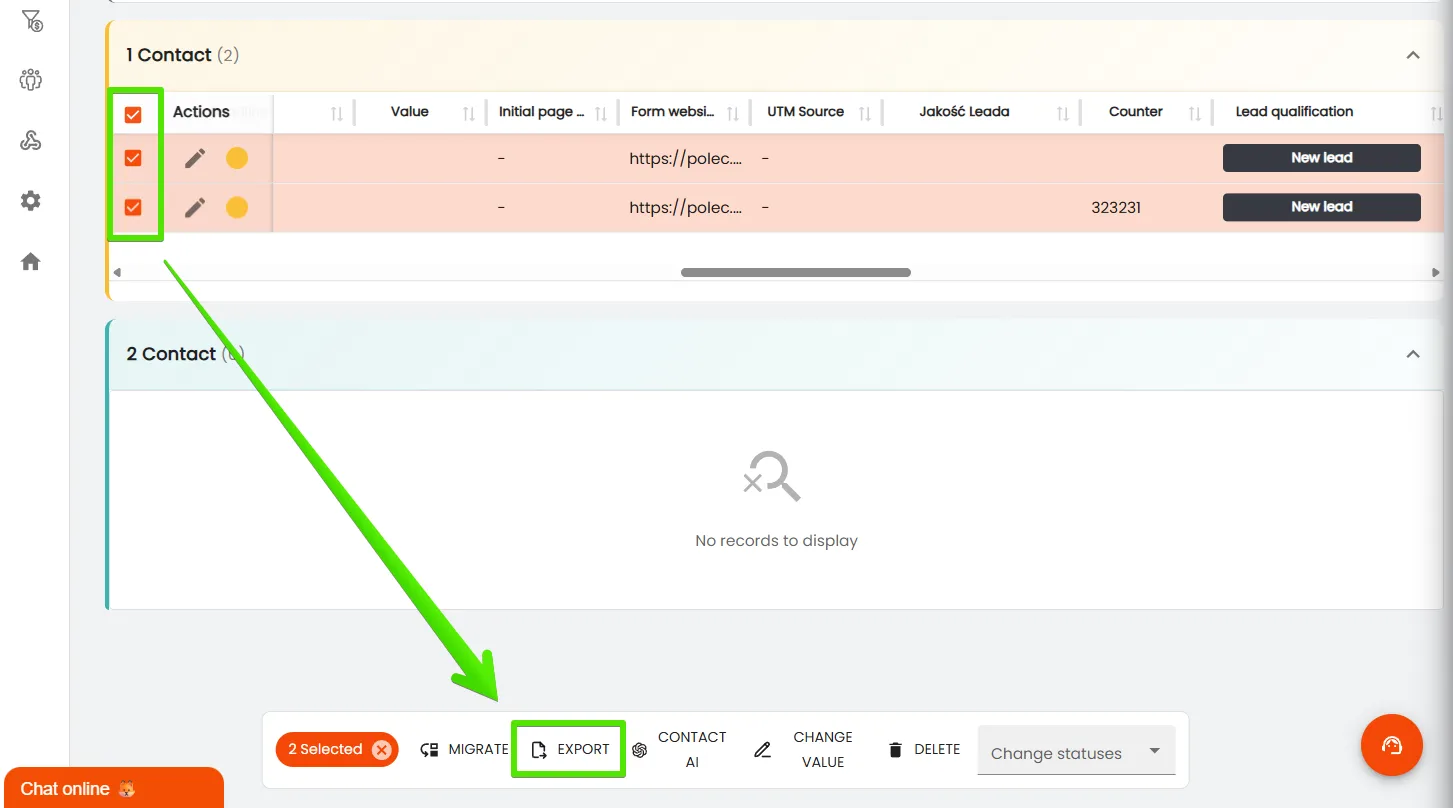
There is also the possibility to export selected, individual contacts, as shown in the example below.
Export Table Template
There is also the possibility to export selected, individual contacts, as shown in the example below.
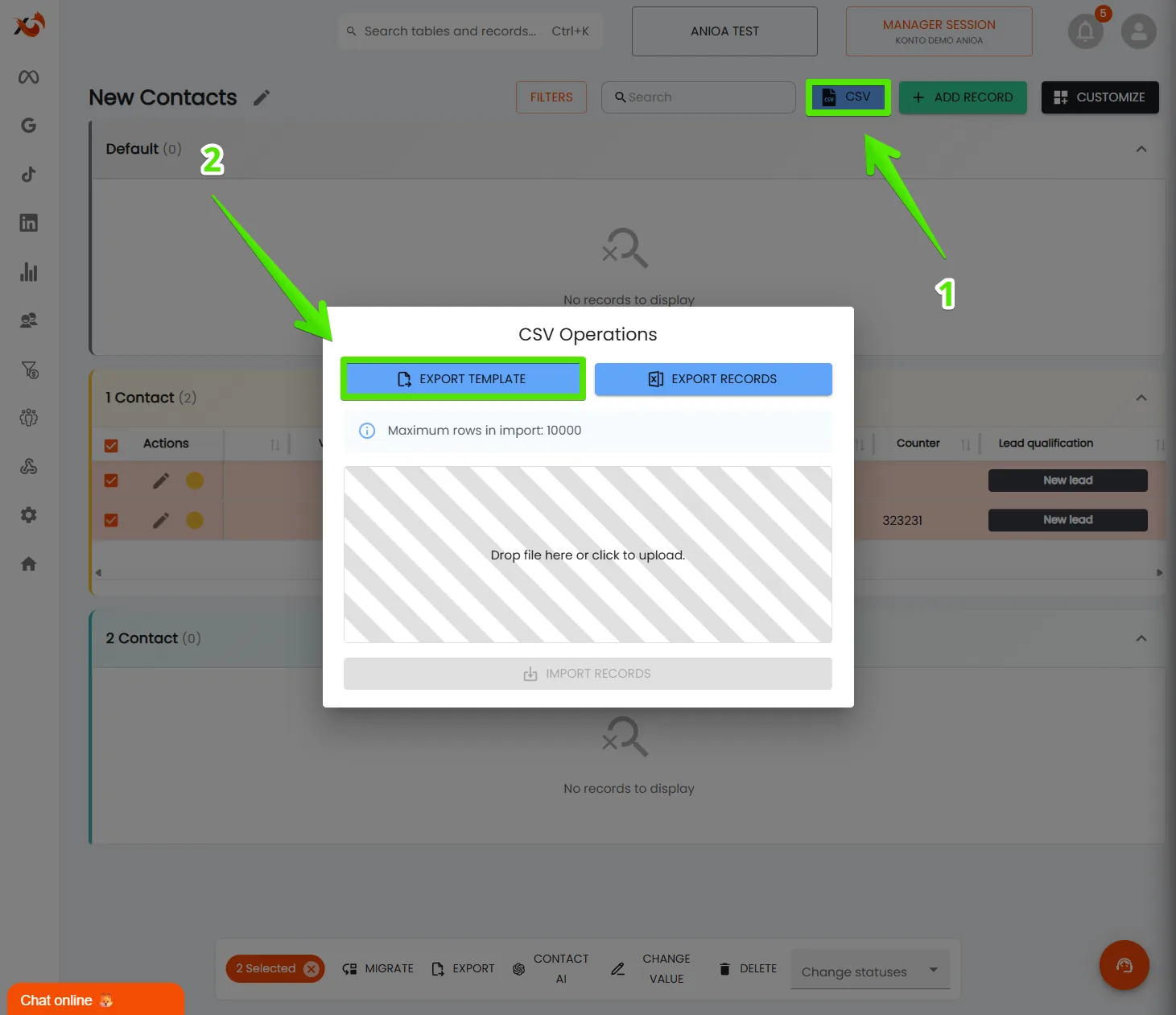
This is a practical solution in situations where there is a need to quickly recreate the same table in another workspace or prepare a “clean” template for work on a new project.
During data import to another table with the same columns, the system will automatically create all corresponding fields.
Import Records and Templates
Similarly to export, data can also be imported into the CRM system. This function is particularly useful when transferring leads from another system, contacts saved in an Excel file, or when an existing table needs to be supplemented with new data.
In the case of importing a table template (i.e., the column layout itself), it is recommended that the target table contains at least one sample record. Thanks to this, the system will correctly recognize the table structure and more easily match new columns.
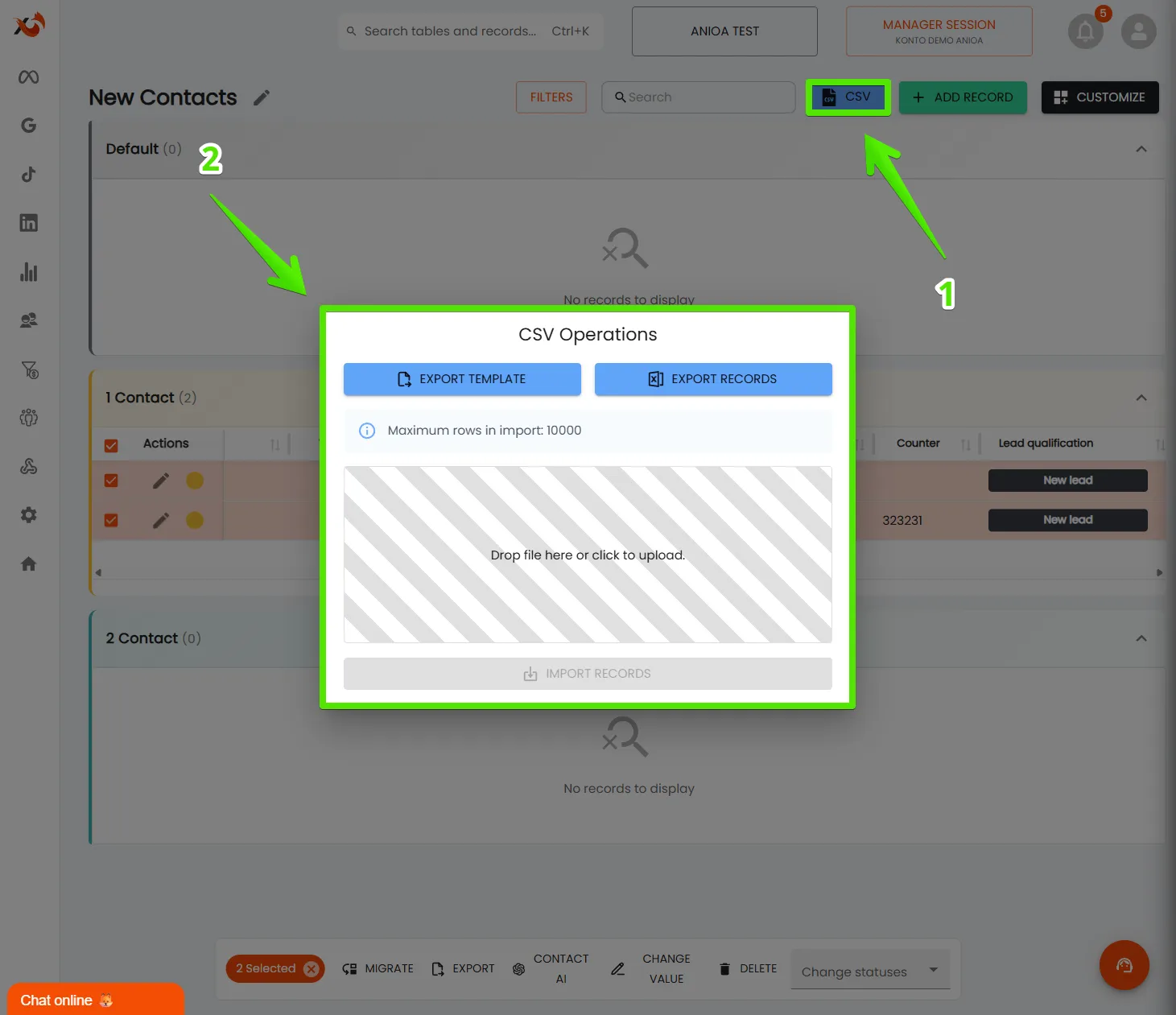
To correctly import data, the adsfox CRM system must recognize the type of columns to which they will be assigned. You need to specify whether a given column is of type text, counter, or other,according to its purpose in the table structure.
Is it a text type column, counter, etc.:
here you’ll read what column types are available in adsfox
The simplest way to prepare data for import is to previously export the table template. Then, adjust the columns to be imported in it, save the file in CSV format, and upload it to the adsfox CRM system.
What Next?
After mastering data export and import, the next stage is automation and lead redirection. Thanks to these functions, leads from the website or Facebook will automatically go to the appropriate tables in CRM, without the need for manual data entry.
In the next post, we’ll show how to use automation in adsfox CRM.