LinkedIn Ads Targeting: How to Build the Right Audience

LinkedIn Ads targeting rests on five criteria that do all the work in practice: job title, seniority, industry, company size and a list of specific organizations. Effective LinkedIn advertising starts with picking one strong criterion and adding at most one narrowing filter. The more conditions you stack at once, the smaller the audience and the fewer events the campaign can learn from.
LinkedIn Ads targeting is a way of selecting an ad’s audience based on professional data from profiles, and it is the only option in paid social that lets you aim a message by role at a company rather than by interests. That is also the reason a click costs more here than in other channels, so every badly chosen filter shows up in the budget immediately.
How does LinkedIn Ads targeting work?
LinkedIn bases targeting on data users provide about themselves and keep current, because their careers depend on it. A job change, a promotion, a new company: all of it lands on the profile faster than in any database you can buy. That is why professional data on LinkedIn is usually fresher than in typical B2B databases.
| Criterion | What you actually select | When it works best |
|---|---|---|
| Function and seniority | Area of responsibility and decision level | The default choice for most B2B campaigns |
| Job title | The specific role entered on the profile | A narrow, well-named role in a familiar industry |
| Industry | The industry assigned to the company, not the person | When the offer is strongly industry-specific |
| Company size | Employee headcount range | When the buying process depends on company scale |
| Company list | Specific organizations from your list | Selling to named accounts and ABM |
Order matters. First decide who makes the decision, and only then narrow by company context. The reverse order usually ends in an audience full of people from the right companies but in roles with no influence on the purchase.
Job title or seniority: which should you choose?
Job title looks like the most precise criterion, and that is exactly why it can be a trap. The same role can have a dozen spellings: abbreviations, regional variants, and in smaller companies one person combines several functions and writes something entirely their own. A campaign based solely on a list of job titles skips people who actually decide.
The safer default is the pair of function plus seniority. Function says what the person works on (finance, HR, IT, marketing), and seniority describes the decision level. This combination is resistant to creative naming and gives an audience large enough for the campaign to have something to choose from.
Target exact job titles when you sell to a very narrow role and know from sales conversations what that role is called at your customers. Then the precision pays for itself.
How to target by industry and company size?
Industry on LinkedIn is assigned to the company page, not to the person. That is a small difference with big consequences. An agency serving furniture manufacturers will be labeled as marketing, not furniture manufacturing. If you filter by industry, you get companies that described themselves that way, not companies that do what you are looking for.
Company size behaves more predictably, because it is based on employee headcount ranges. It is a good criterion when your sales process genuinely depends on scale: a two-person company buys differently than an organization with several approval levels. If you sell an implementation that requires an IT department, cutting out micro-businesses saves budget from day one.
Neither criterion should be combined with a third filter. Industry plus company size plus a list of skills is the most common road to an audience that looks perfect in the dashboard and delivers no results, because there is no one to show the ad to.
When should you use a company list instead of filters?
A company list is the most powerful tool in LinkedIn Ads and at the same time the most underrated. You upload a list of organizations you care about, and the ad shows only to people from those companies, additionally narrowed by function and seniority. It is the only paid channel where you can run a campaign against a specific list of accounts.
It makes sense in three situations: when sales has a defined target list, when you sell to a narrow market with a known number of players, and when you want to warm up companies before an outbound call. A contact list from your sales system works the same way, if your data is in order. We described how to prepare that data in our post on how a CRM supports ad campaigns.
There is one limitation: a list narrows the audience very hard. Treat it as a separate campaign with a narrow goal, not as the only source of leads.
What are the most common mistakes when narrowing an audience?
Most failed LinkedIn campaigns share the same cause: an audience narrowed as if precision were the goal in itself. These are the mistakes we see most often:
- Stacking three or more filters at once. Conditions have to be met simultaneously, so each additional one acts as a multiplier downward.
- Narrowing by skills together with job title. Skills are self-declared and incomplete, so they cut out some of the right people for no gain.
- No exclusions. Excluding existing customers, your own employees and students saves budget faster than another round of narrowing.
- Leaving the default audience expansion setting without a decision. That setting changes campaign reach, so it should be a deliberate choice, not an accident.
- Judging the audience by the number in the dashboard alone. Audience size says nothing about how many of those people will see the ad at your budget.
The simplest correction is usually the most effective: remove one filter, wait a week, and compare cost per contact, not impressions.
When is the audience too small for the campaign to learn?
A campaign optimizes on events, not impressions. If the audience is so narrow that, at your budget and cost per click, you collect only a handful of conversions over a longer period, the system has nothing to draw conclusions from. Results start jumping from week to week, and you make decisions based on chance.
Signs the audience is too small: the budget delivers slower than it should, frequency rises, and cost per click climbs even though you changed nothing in the campaign. LinkedIn also shows its own minimum audience size while you build one and will not let you launch a campaign below that threshold, so that is the first check before you even start.
There are three ways out. Remove one filter and recover scale. Change the optimization goal to an event earlier in the funnel, of which there are simply more. Or split the campaign into two stages: broad reach for the right roles and narrow retargeting for people who already reacted.
When is LinkedIn Ads not the right channel?
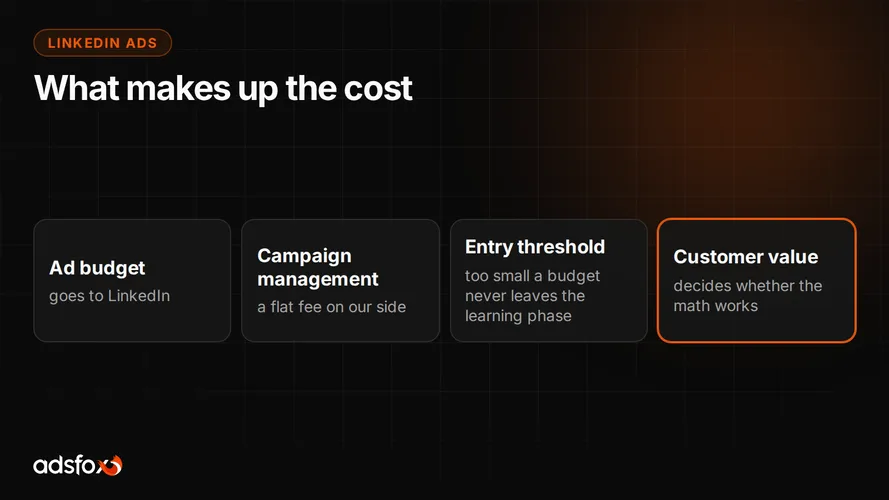
We will say it plainly, because it saves money: LinkedIn Ads do not pay off for a low-margin consumer product, for purely local services, and anywhere the value of one customer does not cover the cost of a few dozen clicks on the way to them. In those cases the same budget usually works better in Facebook and Instagram campaigns or in search.
We do not publish our own cost per lead for LinkedIn Ads, because we do not have it in a sample that would justify treating it as a reference. If you need an approximation of what it costs to acquire a contact, look at our CPL and ROAS benchmark from 20 campaigns across 11 industries. That is data from Meta and Google campaigns, where cost per lead usually ranged from about $2 to about $11 depending on the industry, and every number is sourced from a specific campaign.
Where to start
Start with one sentence: who at the customer’s company makes the decision and how you will recognize them. Only then open Campaign Manager. The order that usually works:
- Set function and seniority as the main criterion.
- Add at most one narrowing filter: industry, company size or a company list.
- Add exclusions: existing customers, your own team, roles with no influence on the purchase.
- Check whether, at your budget, the campaign will collect conversions regularly rather than sporadically.
- After two weeks, judge cost per valuable contact, not the number of clicks.
If you would like someone to build this around your sales model, that is what we do every day as part of our LinkedIn Ads management. We have been working since 2018, have served more than 350 clients across 20+ industries, and are a Badged Meta Business Partner and a Google Partner.
Book a free consultation. We will review your target audience and tell you plainly whether LinkedIn Ads are the right channel for you.