LinkedIn Lead Gen Forms: Forms, CRM and Lead Quality
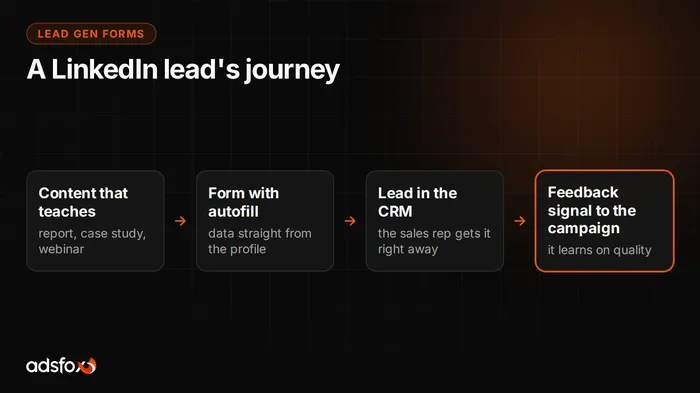
LinkedIn Lead Gen Forms are an ad format in which the contact form opens inside LinkedIn, and the platform prefills most fields with data from the viewer’s professional profile. The user does not go to a website and does not retype anything: they check the prefilled fields and submit.
The advantage of this format is not convenience. It is what you find in the submission. Along with the email address you get the job title, company name and industry, which tells you whether this is your customer at all.
How do LinkedIn Lead Gen Forms differ from a regular ad with a link?
A standard ad leads to a landing page. Along the way you lose part of the audience: the page loads slowly, the form requires retyping data, someone puts the phone down. Lead Gen Forms shorten that path to a single tap in the feed.
The form can be attached to several formats: a feed ad, a message ad, and a document ad, meaning downloadable material in exchange for contact details. That last setup is the most common in B2B sales, because it gives the viewer a reason to leave their data.
After submission LinkedIn shows a thank-you screen with room for one call to action. That is an underrated spot: you can link to material, a calendar or a service page. The person who just left their details is at their most engaged right then, and that is roughly when they decide whether they will pick up your call.
How does prefill work and what data do you really get?
The form pulls data from the professional profile. By default it includes first and last name, work email address, job title, company name, company size, industry and location. This is data maintained by the user, so it is less often random than what people type into a form on a website.
There is one exception worth knowing in advance: a phone number is only prefilled if the user added one to their profile. A large share of accounts do not have it. If your sales process runs on phone calls, set that field as required and expect some viewers to drop off. It is a deliberate trade-off: fewer submissions, but ones you can work with.
You can add your own questions to the form. Do not treat them as decoration, because they are your main filtering tool. We come back to them below.
Who should you target so the form makes sense?
The form is only the end of the path. Submission quality is decided by who sees the ad in the first place, and LinkedIn gives you tools no one else has: job title, seniority, department, years of experience, company size and industry, plus lists of specific companies uploaded from a file.
The most common mistake is narrowing by several criteria at once. Job title plus department plus company size plus location can shrink the audience so far that the campaign has nothing to learn from and bids go up. A safer setup is one strong criterion, for example job title or a company list, and possibly a second one as a filter.
Separately, exclude your own employees, existing customers and competitors right away. It takes a few minutes and saves budget, and the later explanation to a sales rep about why they are calling someone from the next desk over.
The audience you build on LinkedIn can later be reused in other channels, because a list of companies and job titles is the same customer description you will want for retargeting.
How to connect LinkedIn Lead Gen Forms to a CRM?
A submission without fast follow-up loses value within hours. So the first decision is not the creative but the path a lead takes from LinkedIn to the person who will call back.
| Delivery method | How it works | When it is enough |
|---|---|---|
| CSV export | Manual download from Campaign Manager | Testing only, the first days of a campaign |
| Email notification | The submission lands in an inbox | Low volume, one person handling it |
| CRM integration | The lead enters the system automatically | Team work, a steady budget |
| Webhook or middleware tool | Custom assignment and notification logic | Several lead sources, routing rules |
We advise against CSV export beyond the test phase. Someone has to remember the file, and follow-up slips by a day or two. The target state is a lead landing in the CRM automatically, together with job title and company name, so the sales rep knows who they are talking to before dialing. We described how to organize this on the process side in our post on CRM and ad campaigns.
How to manage for lead quality instead of submission count?
This is the most important part of this article. A prefilled form lowers the cost of a submission because it takes seconds to complete. The same mechanism means it also gets completed by people who only wanted to download the material.
The ad dashboard sees one thing: the number of forms submitted. It does not know who picked up the phone, who showed up for a meeting and who signed a contract. If you judge the campaign purely by cost per lead, you are pushing it toward cheaper and weaker contacts yourself.
There is one way out: mark the status of every submission in the CRM and send that information back to the ad platform as an offline conversion. The campaign then starts looking for people who resemble your real customers, not random tappers. Technically, server-side measurement handles this; operationally, one simple rule does: report cost per qualified lead and cost per customer, not cost per form.
The difference can be large. In one of our medical aesthetics campaigns, the share of qualified leads rose from 21.1% to 45.7% while CPL fell from about $8.50 to about $7. The same logic applies in the LinkedIn channel.
Which questions should you add to the form?
Every additional field lowers the number of submissions and raises their quality. Choose them based on what actually decides whether you would reject an inquiry.
- Company size or headcount. The fastest way to screen out companies outside your service range.
- Role in the buying decision. A simple choice: I decide, I recommend, I am gathering information. It changes how the first conversation is run.
- Timeline. Asking when the project is planned sets the order of calls for the team.
- Budget or project scale. Use with care, because it cuts submissions the hardest. Makes sense where pricing starts high.
Leave room for what the viewer will actually get after submitting. A sentence like “we will reach out within one business day to define the scope” screens out accidental taps more effectively than most settings in the dashboard.
How much does a LinkedIn lead cost and when does the channel not pay off?
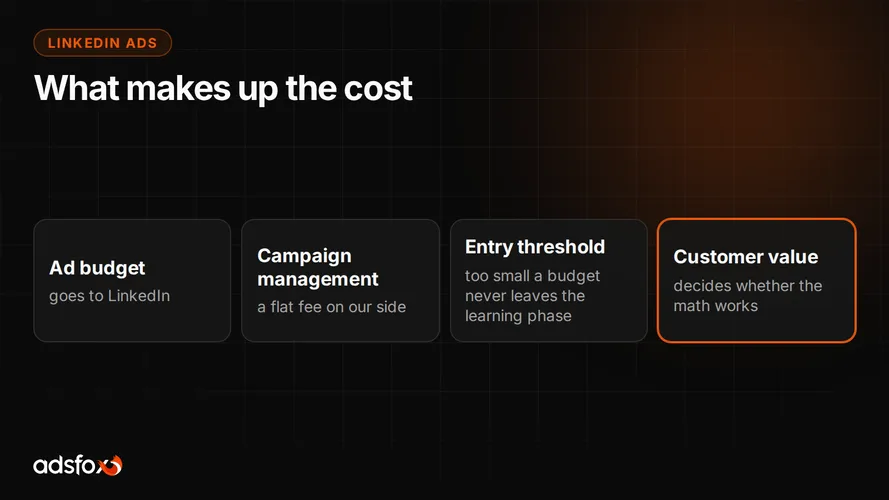
The cost is set by the auction, and here it is exceptionally narrow. You aim the ad at specific job titles at specific companies and bid for them against other advertisers. A single submission usually costs noticeably more than in channels with broader reach.
We do not run our own benchmark for LinkedIn, so we will not quote a rate here and we will not guess. Reference points from channels where we have measured results for years are collected in our CPL and ROAS benchmark from 20 campaigns.
Let us say plainly when we advise against this channel. LinkedIn rarely holds up when you sell to individual consumers, when the value of a single transaction is low, or when the monthly budget is so small that the campaign will not gather data for optimization. In those situations other PPC campaigns pay back faster, especially in search. LinkedIn makes sense when the viewer’s job title matters more than their interests, and one signed contract covers the cost of a dozen or more submissions.
Where to start
The order that works: first the lead’s path to the CRM, then a form with filtering questions, and only at the end scaling the budget. The reverse order ends in a contact database nobody knows what to do with.
If you want to find out whether your offer will hold up in this channel, that is what we do as part of our LinkedIn Ads management. We have been working since 2018, have served more than 350 clients across 20+ industries, and start with the same question every time: how many of these submissions end in a contract.
Book a free consultation. We will review your funnel and tell you whether LinkedIn is the right channel for you, or whether that budget is better spent elsewhere.