Bing Ads vs. Google Ads: Comparison and Which to Run First
Start with Google Ads, and add Microsoft Ads only once you cannot raise the Google budget without pushing up cost per customer. Both platforms work on the same principle: you buy clicks in search results through an auction. What separates them is scale. Google handles the large majority of searches in the US, so that is where the query volume you can build sales on lives. Microsoft Ads is a supplementary channel: usually cheaper in the auction, but with a limited number of queries. Bing’s share in the US is bigger than in most of Europe, especially on desktop, which is exactly why the channel deserves a look here and not a dismissal.
Below we take the comparison apart: reach, competition, cost, audience and tools, and at the end a concrete rollout order.
How is Microsoft Ads different from Google Ads?
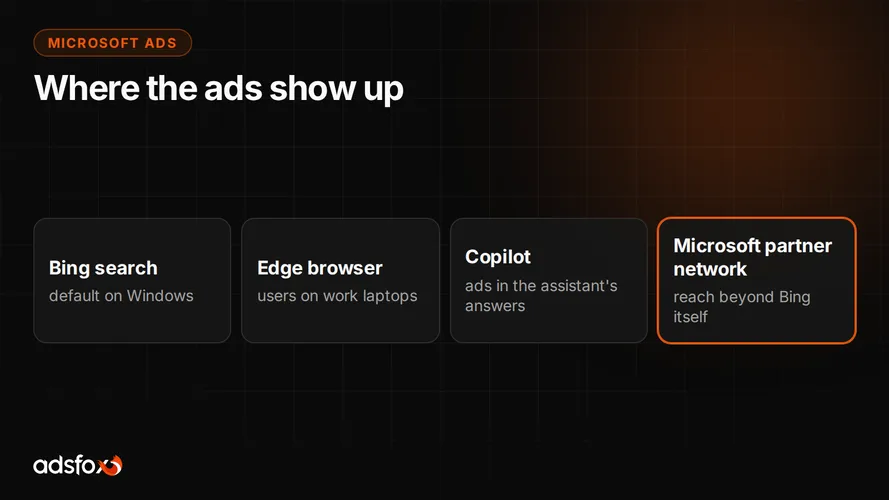
Microsoft Ads is Microsoft’s advertising platform covering Bing search along with its partner network, including Yahoo and DuckDuckGo, plus ad placements across Microsoft products. It is the same platform that part of the market still calls Bing Ads.
The mechanics are a twin of Google Ads. You build keyword-based campaigns, set match types and negatives, write text ads, bid in an auction and pay per click. You will also find shopping campaigns, remarketing and heavily automated formats. An advertiser who knows the Google panel finds their way around Microsoft Ads in a few hours.
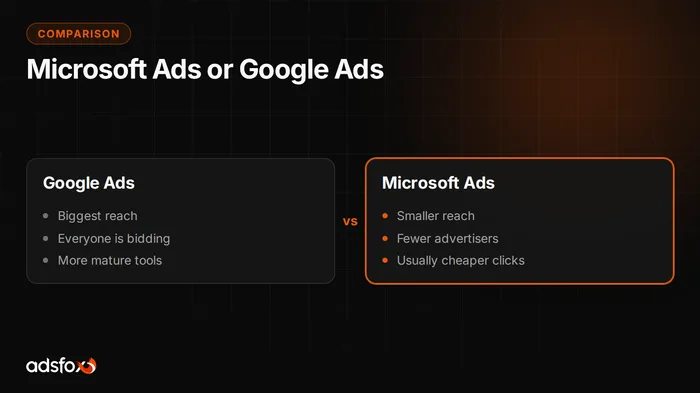
The real difference is not in features but in the market. In Google you compete with nearly every company in your industry, in Microsoft Ads with a fraction of them. Lower competition brings bids down, but it goes hand in hand with fewer queries, so a campaign hits its reach ceiling sooner.
What reach does Microsoft Ads have?
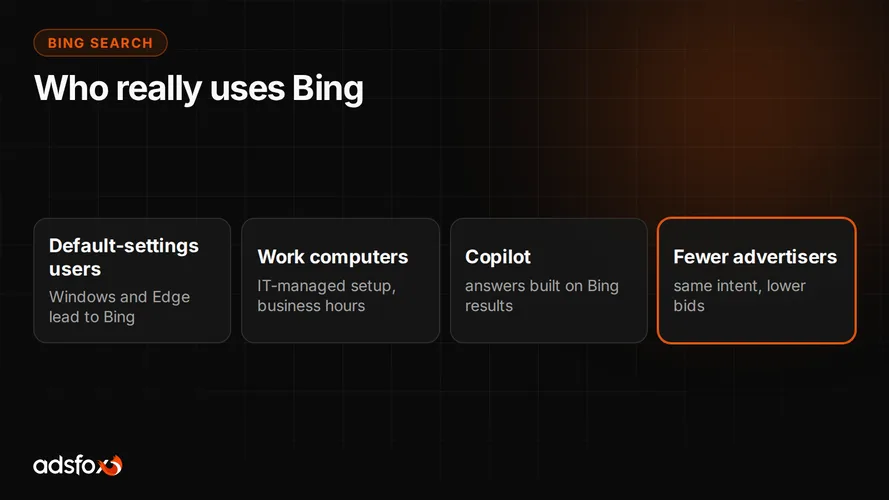
Google is the dominant search engine and that is not changing anytime soon. Bing collects a clearly smaller share of searches, and its position comes largely from defaults: the Edge browser in Windows, search from the taskbar, and company computers where nobody changed the configuration. In the US that share is meaningfully larger than in Europe, particularly on desktop, where Windows and Edge are the norm in offices.
That has two practical consequences. First: even a very well-built Microsoft Ads campaign will not deliver Google-level volume, because there simply are not that many queries. Second: a part of those queries is genuinely worth money, because it comes from people on work equipment, often during business hours.
That is why we treat Microsoft Ads as an addition to the budget, not an alternative. If your Google Ads campaigns still have untapped potential on purchase-intent keywords, a second platform is not the answer to your problem.
Is Microsoft Ads cheaper than Google Ads?
Usually yes, if you look at cost per click. Fewer companies bid on the same keywords, and less pressure in the auction translates into lower bids. This is the most repeated argument for the channel, and it happens to be an honest one.
The problem is that cost per click is a poor measure of profitability. What counts is cost per customer and what that customer is worth. Cheaper clicks from a worse-matched audience can produce a more expensive lead than pricier clicks in Google. We describe the same mechanism in our article on the cost of Google Ads, where the bid is driven not only by the market but by campaign quality.
Let us be direct: we do not have our own verified cost-per-lead data from Microsoft Ads, so we will not give you a number. Reference points from campaigns we have run in other channels are in our CPL and ROAS benchmark. You will only learn your own Bing result after a test on your own account.
Who clicks ads on the Microsoft network?
The Microsoft Ads audience skews toward Windows and Edge users, including company hardware where defaults stay untouched. Far more often than in Google you are dealing with desktop search in a professional context.
For some industries that is an advantage. B2B sales, software, business services, training, office equipment and products bought for work meet the customer in their natural environment. Microsoft Ads also lets you target based on LinkedIn profile data, such as industry or company size. Check availability of that option in the panel for your market, because it varies.
The opposite profile does worse: a young customer, a decision made on a phone, impulse purchases, highly visual products. In those cases you will build reach faster in social channels than in a second search engine.
How does day-to-day work differ between the two panels?
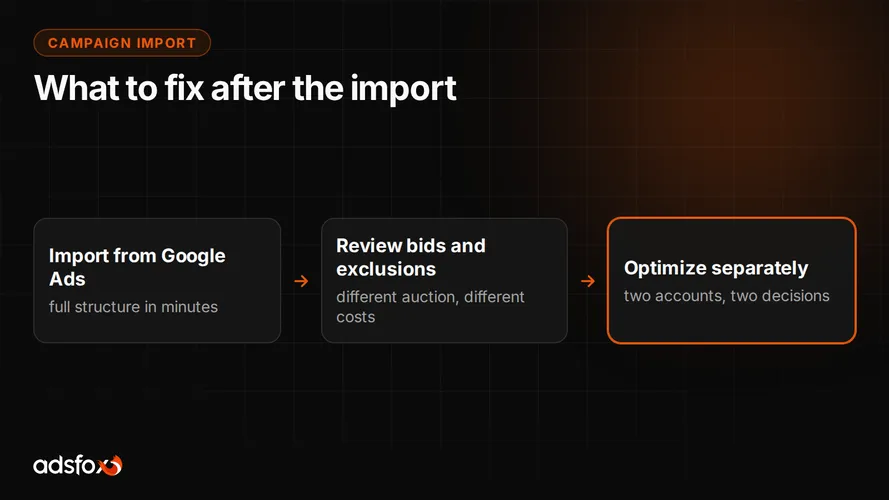
The tools look alike, but you run them differently. Microsoft Ads has a built-in import of Google Ads campaigns: it carries over structure, keywords and ad copy. A convenient start, but treat it as a draft. Bids from Google were calculated for a different auction, and negatives and the schedule need to be set again.
Measurement runs on the UET tag, a separate Microsoft script. Without it the campaign has nothing to optimize on, and you will judge it by clicks instead of inquiries. It is the first thing to deploy, before ads go live.
The biggest difference is in the data. Lower query volume means automated bidding strategies learn more slowly, and a week’s conclusions can be noise. In practice we keep simpler settings there longer and look at longer periods. The algorithm suggests, the specialist picks the direction, because with that little data it is easy to mistake noise for a trend.
How do Microsoft Ads and Google Ads compare point by point?
| Criterion | Google Ads | Microsoft Ads |
|---|---|---|
| Reach in the US | dominant, the main source of queries | clearly smaller, Bing, Yahoo and partner network |
| Auction competition | high, nearly everyone in the industry bids | usually lower |
| Cost per click | usually higher | usually lower on the same keywords |
| Query volume | lets you scale budget | limits scaling, supplementary role |
| Audience | full cross-section, strong mobile presence | skewed toward desktop and company hardware |
| Professional targeting | no direct equivalent | LinkedIn profile data, availability varies by market |
| Campaign start | build from scratch | built-in import from Google Ads |
| Conversion tracking | Google tag, Google Analytics integration | UET tag |
| Role in the media plan | foundation of search advertising | addition after Google is saturated |
The table shows one thing: this is not an either-or choice. Microsoft Ads does not replace Google, it picks up the remaining queries you are not reaching.
When does Microsoft Ads not pay off?
There are situations where we advise against launching a second platform, even if the clicks are cheaper there:
- Google is not saturated yet. If your impression share on key terms is low and the daily budget is limiting the campaign, every dollar works better in Google.
- The budget is small. Splitting it across two platforms means neither collects enough conversions for optimization to stand on.
- Conversion tracking is not working properly. Without a deployed UET tag and conversion data flowing in, you will judge the channel by clicks, which is by nothing.
- Your customer is young and mobile. The audience profile on the Microsoft network simply does not fit.
- Nobody has time to run it. A second panel is another set of negatives, tests and reports every month.
The honest rule: Microsoft Ads adds a fraction of the volume Google gives you, so it should cost you correspondingly less attention and budget than your main channel.
In what order should you launch Google Ads and Microsoft Ads?
The order we use with clients looks like this:
- Set up correct conversion tracking. Without it, every channel comparison is guesswork.
- Saturate Google Ads. Raise the budget on keywords that deliver sales for as long as cost per customer stays within your limit.
- Find where the potential ends. If impression share is already high and raising bids further drives up cost per lead, the channel is saturated.
- Import campaigns into Microsoft Ads and rebuild them for that auction. The import carries over structure, but set bids, match types and the schedule again.
- Judge by cost per customer, not CPC. Give the campaign time to collect data, then decide on scale.
The same pattern applies when you consider adding social channels: first close existing demand, then build new demand.
If you want to check whether your Google account is already saturated and whether a second search engine makes sense for you, that is what we do as part of Microsoft Ads management.
Book a free consultation: we will review your campaigns and tell you plainly whether to add another channel or tighten the one you have.