How to Import Google Ads Campaigns to Microsoft Ads Step by Step
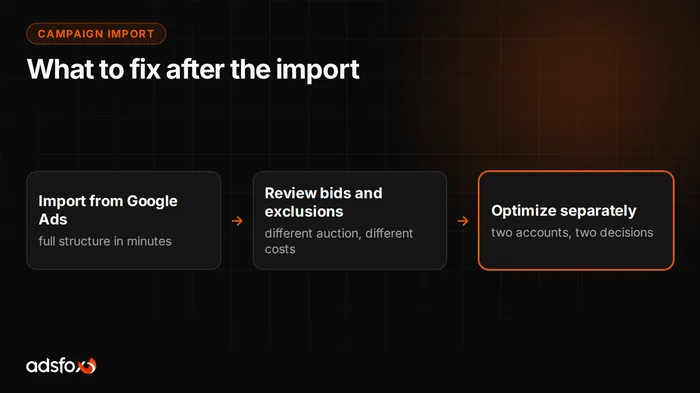
You move campaigns from Google Ads to Microsoft Ads one of two ways: through the import in the Microsoft Advertising panel, or through the free Microsoft Advertising Editor app. The whole operation takes a few minutes and carries over campaign structure, ad groups, keywords and ad copy. The problem is that the import is only half the job. Before you turn the campaigns on, you need to fix bids, negatives, schedule and destination URLs, because the copied settings are tuned to a completely different auction.
Microsoft Advertising Editor is a free app for Windows and macOS that lets you download your entire ad account to your computer, work on it offline, bulk-edit campaigns and post changes with one click. For a Google Ads import it is more convenient than the panel, because it gives you a moment to review everything before spending starts.
How do you import campaigns from Google Ads to Microsoft Ads?
The order that works best in practice:
- Create a Microsoft Advertising account and fill in billing details and the time zone. You cannot change the time zone later without creating a new account.
- Download and install Microsoft Advertising Editor, sign in and download the account to your computer.
- Choose the import from Google Ads and sign in to a Google account with permissions for the campaigns you want to move.
- Select what to bring over. Choose deliberately: active campaigns only, without paused ad groups and without archived experiments.
- Decide on bids and budgets. You can import the values from Google or set your own. We recommend your own, more on that below.
- Review the import result in Editor, apply corrections, and only then post the changes to the account.
You can also schedule the import to recur. Be careful with that option, because syncing can undo your settings. If you turn it on, disable overwriting of items you edited by hand in Microsoft Ads.
What does the import carry over, and what does it not?
The import handles account structure, but it does not move everything. That matters, because the most common post-launch mishaps come from things that simply are not on the new account.
| Carries over | Does not carry over |
|---|---|
| Campaigns, ad groups, keywords | Conversion history and data for training bid strategies |
| Ad copy and most extensions | Tracking tag and conversion goal definitions |
| Campaign-level negative keywords | Some audience lists and first-party data |
| Location and schedule settings | Billing settings and account time zone |
The biggest difference is in measurement. Microsoft Ads tracks conversions with its own UET tag and its own goals, so until the tag is deployed the account sees zero conversions. Without that step, the import gives you campaigns that spend budget and show nothing of what comes out. Set up the tag before launch, not a week after.
Why does copy-paste from Google Ads burn budget?
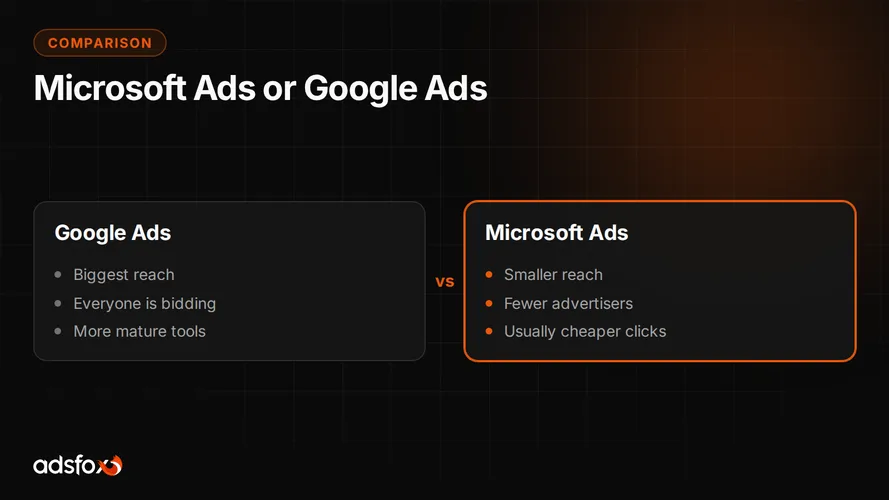
Because the two platforms run in a different auction with a different user. A copied campaign carries decisions made for Google traffic: bids calculated under heavier competition, negatives added over years for queries that may not exist on Bing at all, and budgets set for a different query volume.
The result is usually one of two. Either the campaign does not spend, because bids are too low for a new account with no history, or it spends very fast on partner network traffic that nobody consciously chose. In both cases the conclusion sounds the same: “Microsoft Ads does not work.” What does not work is a specific setting, not the channel.
The second reason is more insidious. A copied account usually lacks correct traffic tagging, so in analytics everything lands in one bucket with Google. You then make budget decisions on data that blends two channels.
How do you set bids and budgets right after the import?
Start by not importing bids from Google. The new account has no conversion history, so automated bid strategies have nothing to stand on. At the start it makes more sense to set your own manual bids and move to an automated strategy only once the UET tag has collected data. The specialist running the account decides when to switch, based on the number of conversions, not the calendar.
Recalculate daily budgets too. The Google budget is sized for Google query volume. In the smaller search engine the same budget often does not spend, or spends on broad terms that were cut off in Google. Start with an amount that lets you collect data and scale after the first conversions.
Reference points for cost per lead in specific industries are in our separate CPL and ROAS benchmark from our Google and Meta campaigns. It is a good base for setting a profitability threshold before you calculate one for the new channel.
Which negatives and network settings should you check after the import?
Three things to review right after the import, before ads go live:
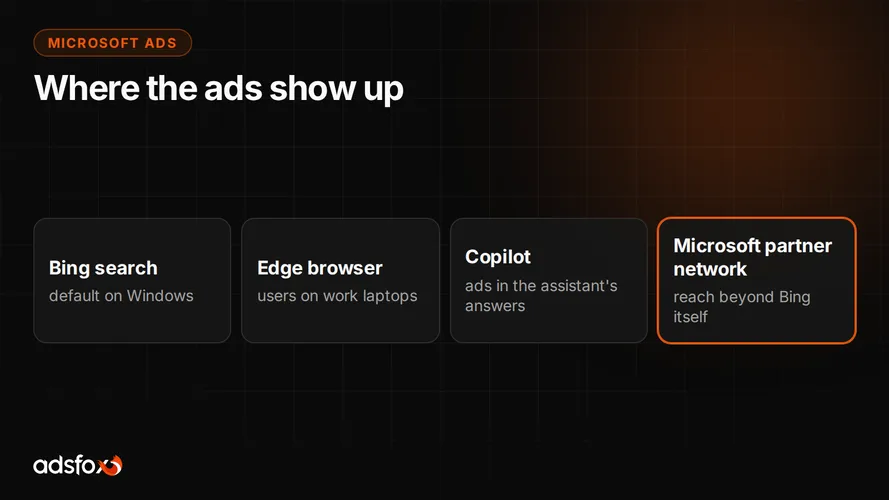
- Search partner network. Traffic from Microsoft’s partner sites is often cheaper, but its quality differs from search itself. At the start it is worth separating or limiting it so you can judge each on its own.
- Negative keywords. Go through the imported list and remove negatives added for Google-specific queries. Keep the ones that protect against worthless traffic in any search engine, such as “free,” “jobs,” “salary” and “employee reviews.”
- Keyword match types. Broad match behaves differently in a smaller auction and drifts off topic faster. Run the first weeks on exact and phrase match, then expand based on the search terms report.
Check the search terms report daily for the first week. It is the cheapest way to catch queries that did not exist in Google and add negatives before they eat the month’s budget.
What about schedule, location and language?
The schedule carries over with the campaign, but it runs on the Microsoft account’s time zone, not the Google account’s. If the zones differ, ads show at different hours than you assume. Check this before launch, because the account time zone cannot be changed after setup.
Language settings are the most overlooked detail. Microsoft Ads has a separate campaign language setting, and after an import it can be left with a value that does not match your market. The campaign then technically runs, but almost nobody sees it. Always verify language and location by hand.
For location, pay attention to the option covering people physically in a place versus people interested in it. The interest setting can add traffic from outside your service area, which for a single-city service business means plainly wasted budget.
Do landing pages and tracking work after the import?
Destination URLs carry over with the ads, along with the tracking parameters from Google. This is where the most common mistake of the whole process happens: the links keep the source tagged as google and cpc, so in Google Analytics 4 all Bing traffic reports as Google. A month later you have data you cannot base any decision on.
Do three things. Replace the UTM parameters with your own for Microsoft Ads. Remove tracking templates based on parameters that only exist in Google Ads, because they will not work in Microsoft and can break the link. Click through every imported ad to confirm the URL opens correctly.
Finally, deploy the UET tag and define conversion goals that actually mean something to the business: a submitted form, a phone call, a purchase. If you want to pass lead quality back to the ad platforms, not just the fact that a lead came in, you will want server-side tracking connected to your CRM.
When is moving campaigns to Microsoft Ads not worth it?
We will say it plainly, because it saves time. Microsoft Ads makes no sense if Microsoft’s keyword planner shows negligible query volume in your niche. A smaller search engine means fewer searches, and in a very narrow industry the channel may not deliver even a few dozen clicks a month. Then it is better to add budget where it already works, for example in Google Ads campaigns.
It is also not worth opening a new channel when your current account has no correct conversion tracking. Without it you cannot compare cost per customer across channels, and the decision to move budget will be guesswork.
We have run campaigns since 2018 and have worked with more than 350 clients in over 20 industries. We are a Google Partner and a Meta Business Partner at the Badged level. We bring the same discipline to Microsoft Ads campaigns: measurement first, then structure, scaling last.
Want to check whether this channel adds up in your industry before you move budget? Book a free consultation: we will review your Google Ads account and work out what can realistically be moved.