How to Use TikTok Ads Manager: A Step-by-Step Setup Guide
TikTok Ads Manager is TikTok’s advertising platform, where you set up campaigns, choose audiences and budgets, and check what brought in inquiries. To get started you need four things: an ad account in TikTok Business Center, an installed pixel with conversion events, several variants of vertical video, and a daily budget that lets the campaign learn. TikTok Ads Manager requires $50 a day at the campaign level and $20 a day per ad group. The rest is arranging those elements in the structure of campaign, ad group, ad. Below you will find the order of implementation and an honest list of things that are usually hard to handle alone at the start.
What is TikTok Ads Manager?
TikTok Ads Manager is the advertising tool that combines campaign creation, audience management, conversion tracking and reporting in one place. The ad account lives inside TikTok Business Center, the administrative layer where you grant access to employees and an agency, attach a payment method, and keep the company’s assets: the ad account, the profile, the product catalog and the pixel.
Inside the platform itself you work in three areas. The first is campaigns, meaning the ad structure. The second is assets, where you find events, audiences, comments and creatives. The third is reports, where you build your own result summaries.
It is worth separating two concepts that businesses mix up most often. Promoting a single video from within the app is not the same as a campaign in Ads Manager. The platform gives you a choice of objective, precise targeting, control over the optimization event, and comparable reports. In-app promotion does not provide that.
What should you prepare before you click “Create campaign”?
Preparation takes more time than clicking a campaign together, but it is what decides the result of the test. Before you go into the platform, gather the full set of elements.
- A business account and an ad identity from which the ads will be shown.
- A landing page or a form that genuinely delivers on the promise made in the video.
- The TikTok Pixel and conversion events installed and verified on live traffic.
- A definition of a valuable lead, meaning an answer to the question of what you count as success.
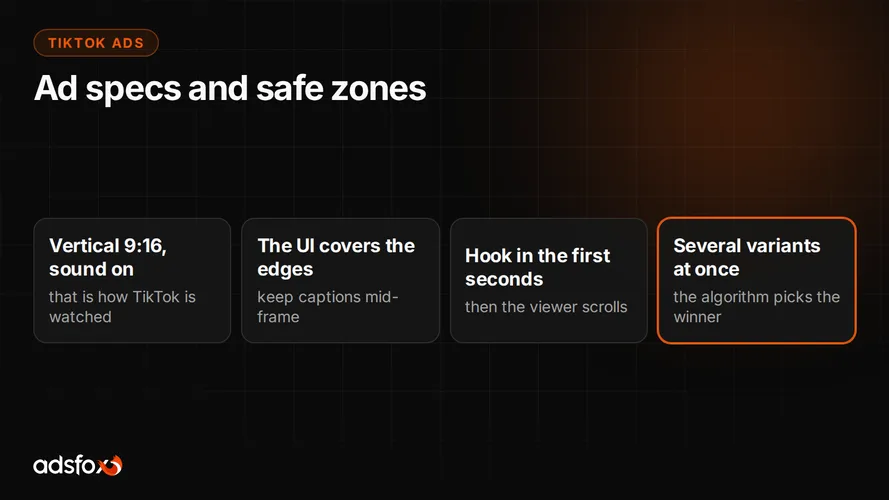
- Several variants of vertical video, not one polished spot.
- A budget planned for the entire test period, not for a few days.
- A lead handling process: who calls back, how quickly, and where the outcome of the call is recorded.
Creative is the bottleneck most often. TikTok burns through material faster than other channels, so before launch plan who films the next videos and how often. We described the rules that hold up in this format in our guide on creating TikTok content.
What does the account structure look like in TikTok Ads Manager?
The account has three levels, and each is responsible for different decisions. Mixing them up is the most common reason the first test does not give a clear answer.
| Level | What you set here | Common mistake |
|---|---|---|
| Campaign | advertising objective (traffic, reach, leads, website conversions, sales), buying type, optional shared budget | choosing a video views objective when the company needs inquiries |
| Ad group | placements, audience, daily budget and schedule, optimization event, billing model | optimizing for an event that almost never occurs on the account |
| Ad | video, text, button, identity, destination URL with UTM parameters | one creative for the entire test and no parameters in the link |
A practical rule: you choose the objective once and set everything below it accordingly. If the objective is inquiries, the optimization event has to be one tied to a form or a contact, not a video view. The structure should be simple enough that after two weeks you can say which creative and which audience delivered the result.
How do you set up the first campaign step by step?
The order of actions in the platform is the same for most service businesses and online stores.
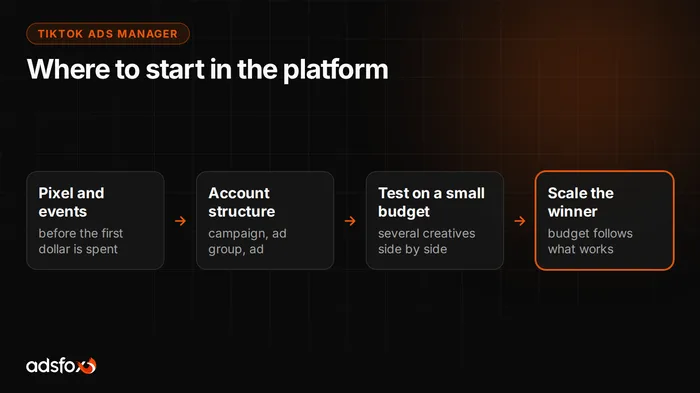
- Set up TikTok Business Center and an ad account, fill in the company details and payment.
- Add users and assign roles before anyone starts spending budget.
- Install the pixel and events, then verify them on real traffic.
- Create a campaign and choose an objective that matches what you count as success.
- In the ad group, set the audience, placements, daily budget, schedule and optimization event.
- Add several ads with different videos and different opening seconds.
- Attach UTM parameters so the traffic is recognizable in analytics and in the CRM.
- Launch the campaign and do not make changes every day, because the algorithm needs time to learn.
The platform suggests ready-made settings and automatic creative variants. Treat them as proposals to evaluate, not decisions. The choice of objective, budget and audience stays with the person responsible for the campaign’s result.
How do you install the TikTok Pixel and conversion events?
The TikTok Pixel is a piece of code on your website that passes information about user actions to the platform: page views, form submissions, phone clicks, purchases. Without it, a conversion campaign has nothing to learn from.
There are three typical installation routes: code pasted directly into the site, configuration through Google Tag Manager, or a ready-made integration with your ecommerce platform. After installation, define the events that matter for sales and verify them with the event testing tool before you turn on the budget.
A separate layer is server-side tracking. Some events get lost to browser settings, ad blockers and cookie consent, so at larger budgets events are sent directly from the server. This is a topic to close before scaling, not after. We wrote more about why the order “tracking first, then budget” matters in our post on AI in TikTok Ads.
How much do you need to spend for a TikTok Ads test to make sense?
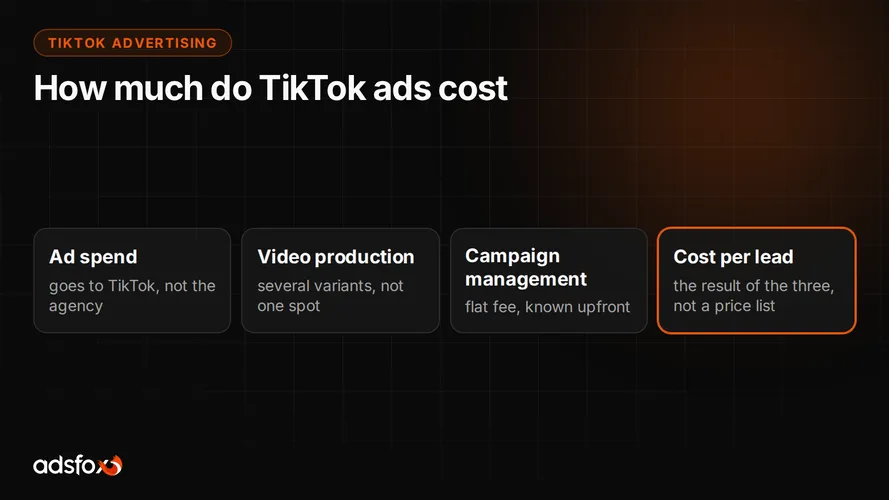
The starting point is the minimum daily budget. TikTok Ads Manager requires $50 a day at the campaign level and $20 a day per ad group, and below that a campaign does not use advanced targeting and learns too slowly. That budget has to be multiplied by the test period, because the algorithm spends the first days on learning, not on results.
On top of ad spend come two items that are easy to overlook: production of further videos and time to handle inquiries. A campaign that delivers leads nobody calls looks like a success in the report and like a loss in the books.
We do not have our own cost-per-lead benchmarks for TikTok, so we will not give you a number here that is meant to look credible. We collected reference points from our benchmark of 20 campaigns across 11 industries separately in our CPL and ROAS summary, and that is a more honest basis for a conversation about expectations.
When does TikTok Ads not pay off?
There are situations where launching TikTok is a waste of money, and it is better to say so plainly.
- The budget cannot sustain the daily minimums for several weeks in a row.
- The company has no one and nothing to film video with, and the only idea is a repurposed TV commercial.
- Facebook campaigns are still scaling without a rise in cost per acquisition. In that case you first add budget where it already works.
- The offer is very niche and sells through a specific search query, not through discovery in the feed.
- The service area covers one small town, and the audience is too narrow for meaningful optimization.
- Conversion tracking does not work at the company, so the test result would be indefensible anyway.
TikTok most often works as the next channel, not the first. The signal to talk about it appears when raising the budget in existing campaigns increases cost per customer instead of the number of inquiries.
What will you usually not manage on your own?
Clicking a campaign together can be done in one afternoon. The problems appear in places the platform does not warn you about.
- Verifying the company, the ad identity and permissions in Business Center, especially when the account was set up by someone who no longer works at the company.
- Server-side tracking and making sure events do not duplicate those from the browser.
- The pace of creative production: several variants at launch and more when results start to slip.
- Comparing TikTok with Meta Ads and Google Ads under the same rules, not based on data from three different platforms.
- Assessing lead quality in the CRM, meaning an answer to how many of those submissions were worth a conversation at all.
We have done this since 2018, have served more than 350 clients across more than 20 industries, and are a Meta Business Partner (Badged) and a Google Partner. If you want to hand off TikTok advertising together with tracking and creative, that is exactly this scope.
Where do you start this week?
Do three things in this order. Clean up Business Center and access. Install the pixel and events and verify them on live traffic. Plan creative for the entire test period, not for the first week. The campaign is only the fourth step, because without the first three there will be nothing to draw conclusions from anyway.
Book a free consultation: we will go through your numbers, check the tracking, and tell you plainly whether TikTok Ads makes sense for your business, or whether it is better to first fix what already works.