Website Speed Optimization: What Actually Works
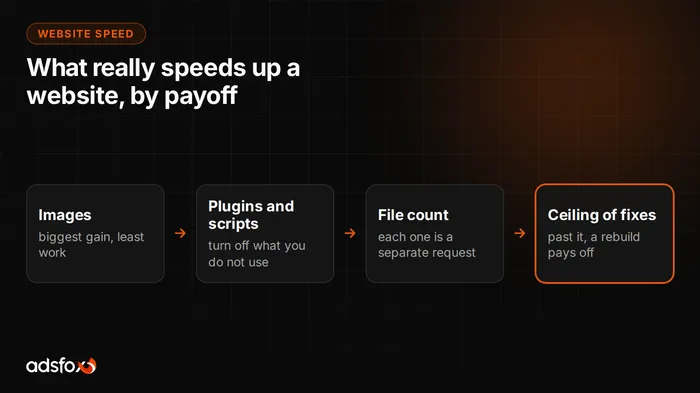
Website speed optimization pays off in this order: prepare your images, remove unnecessary plugins and third-party scripts, reduce the number of separate files the browser has to download, and only then work on server-side fixes. These steps can noticeably raise your PageSpeed Insights score, but they have a ceiling: they cannot change the fact that the page builds its content only after JavaScript runs in the browser. Below we show how to check where you stand, what to fix first, and at which point a rebuild costs less than stacking more speed plugins.
How to check whether your website is slow
Start with Google’s PageSpeed Insights. Enter your URL and you get a separate score for mobile and desktop plus a list of specific things to fix.
Three rules for reading that result:
- Look at the mobile score. It is usually much lower than the desktop score, and it is the one that reflects reality, because most people looking for a service do it on their phone.
- Check Core Web Vitals, the metrics that measure how long it takes for content to appear and whether the layout jumps around while loading. Google uses them as a ranking signal.
- Measure several times. A single test can vary, because it also depends on the server’s load at that moment.
A second test, simpler and more telling: open your site on a phone with a weak signal and count how many seconds pass before you see text rather than a loading animation. If you got impatient in that time, so will your customer.
What slows down a business website most often
From what we see with clients who come to us with existing sites, it is almost always the same three causes acting together.
Images uploaded without preparation. A photo straight from the camera or a stock library can weigh several megabytes and then display in a slot a few hundred pixels wide. This is the most common cause and the easiest to fix.
Too many plugins and third-party scripts. Every chat widget, popup, review widget, map and ad pixel adds its own code. Each looks harmless on its own; together they can outweigh the rest of the page.
A theme that loads everything. Heavy themes and page builders send the browser code for all their features, including the ones your site does not use. You pay in page weight for capabilities you never touch.
Then there is the thing few people talk about: the number of separate files to download.
Why the number of requests to the server matters
A web page is not a single file. The browser first downloads the HTML, reads it, and only then knows what else it needs: the stylesheet, scripts, every image separately, every font, icons. Each of those files is one request, a separate round trip to the server and back.
That is why two pages of similar weight can load completely differently:
- Every round trip costs time regardless of size. On a phone out in the field, just establishing the connection takes 50 to 200 ms. Three hundred requests can spend more time knocking on the server’s door than transferring data.
- The browser does not download everything at once. It keeps a limited number of parallel connections; the rest waits in line.
- The waterfall effect. Images are often referenced only in the stylesheet, which is referenced only in the HTML. Step three cannot start before step two is done.
In our test of seven websites the difference ranged from 11 requests for a site built from scratch to 300 for an award-winning site with heavy animations. We described the full table and the method in our article on how to build a website for your business.
What you can improve without rebuilding the site
If the site works and you are not planning to replace it, start with these four things. They are ordered by effect relative to cost.
- Prepare your images. Resize them to the dimensions they actually display at and save them in a modern format. This is usually the single biggest gain for the least work.
- Clean up plugins and scripts. Turn off what you do not use. Pay special attention to tools someone added as a trial and never removed.
- Enable caching and compression. The page stops being generated from scratch on every visit, and files travel to the browser smaller.
- Limit your fonts. Every extra weight or style is another file to download, and nobody will notice the difference anyway.
These four steps can raise the score noticeably and for many sites they are all you need. Do them before you make any bigger decision.
When optimization stops being enough
There is a point at which further fixes stop paying off, and it is worth recognizing it instead of adding yet another speed plugin.
The symptom is characteristic: you have done everything on the list above and the mobile score is still poor. That happens because the cause is not in the images or the cache but in the fact that the page builds its content only after code runs in the browser. The browser has to download that code first, then execute it, and only then does the visitor see text. No plugin can reverse that, because it is how the site works, not a defect.
The second signal is the cost of upkeep. If someone has to update plugins every month, keep the theme compatible and repair whatever broke along the way, you are paying a standing fee to maintain a state you are not happy with anyway.
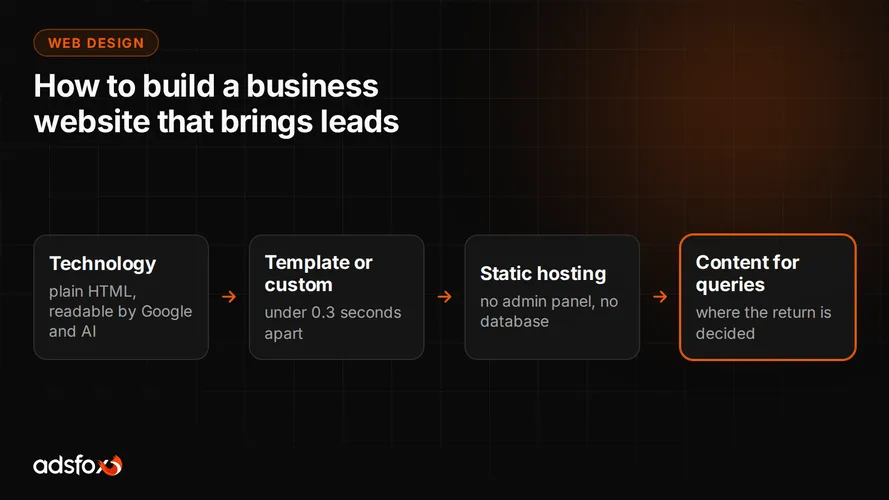
The third signal is security. A large system with an admin panel and dozens of plugins is a surface that has to be actively guarded, and a service business rarely has someone on staff for that. A static site has no login panel and no database to overwrite, so that problem disappears along with them. What this means for choosing a technology, we break down in our article on how to build a website for your business.
Why sites built in Astro are fast by design
Astro is a static site generator that sends ready-made HTML to the browser instead of building the page on the fly with JavaScript. The whole difference comes down to that one sentence, and the consequences are practical.
The browser gets the content right away and shows it without waiting for code to execute. Search engines and AI models see the text on the first load rather than after scripts run, which today matters independently of speed. There is no database and no login panel, so the most common break-in route and the weekly plugin patching disappear. Interactive elements, where needed, are added in specific spots instead of weighing down the whole site.
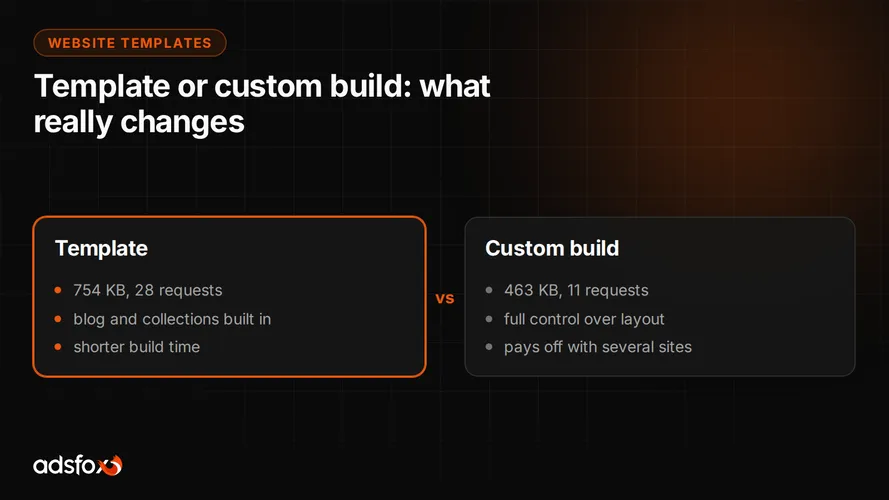
The effect in numbers, from our test: a site built from scratch in Astro weighed 463 KB with 11 requests, the average of five of our template-based sites was 754 KB with 28 requests, and an award-winning site with heavy animations came in at 39.3 MB with 300 requests.
This is the technology we use for every website we build for service businesses, including the one you are reading right now. You do not have to take our word for it: enter this site’s URL in PageSpeed Insights and compare it with any site on a typical page builder.
How long a rebuild takes and why it is faster with us
A well-thought-out business website takes anywhere from about 20 to several hundred hours of work, depending on the number of pages and the scope. What eats the time is not the visual design but the content, conversion tracking, structured data and preparation for visibility.
Our advantage is not that we write code faster. It is that we have already walked this road on our own site and documented it. We have a ready process for keyword research before design, our own templates adapted to each brand, proven components and tracking set up from day one. We do not start from zero on every project, so the time goes into what is truly individual for a given client, not into rebuilding the same elements yet again.
Then there is something you do not see in a quote: we know what not to do. Which animations cost more than they give, when a template is perfectly sufficient, and why an admin panel can be a risk rather than a convenience.
adsfox is a marketing agency for service businesses that runs the whole of your marketing: content, SEO and AI search optimization, paid campaigns and the website. Over 350 clients since 2018, Badged Meta Business Partner and Google Partner.
Where to start
If your website loads slowly, the order is this:
- Measure in PageSpeed Insights, mobile and desktop separately.
- Make the four fixes from the list above and measure again. For many sites that is enough.
- If the mobile score is still poor, add up what keeping the current site costs you per year and compare it with a rebuild.
Want us to check this for you and tell you straight whether fixes are enough in your case? Send us a message. If fixes are enough, we will say so instead of pushing a rebuild.